

Want a local Australian mobile number without swapping SIMs? A virtual mobile number Australia gives you a local presence on Telstra, Optus and TPG networks instantly—no extra hardware required.
Getting Started With Virtual Mobile Number Australia

A virtual mobile number is like leasing a digital mailbox on the mobile network.
Think of it as renting a digital mailbox that forwards calls and SMS to any device you choose. This setup lets your team keep a familiar 02 or 03 prefix and build immediate trust.
Key benefits include:
- Cost savings on call and messaging plans
- Higher answer rates thanks to local prefixes
- Flexible call routing and built-in failover
- Seamless CRM and AI assistant integrations
These numbers are hosted by MVNOs across Telstra, Optus and TPG, delivering reliable coverage and ensuring you stay compliant with Australian regulations. Many SMEs—from real estate and trades to health and tourism—use virtual lines to look local and handle calls like a pro.
You can opt for new Australian mobile numbers, virtual landlines or even toll-free options. Porting your existing number usually wraps up in a few business days, preserving your familiar contact without any downtime.
Why SMEs Choose Virtual Numbers
A single virtual line scales with your growth and funnels enquiries to mobiles, desk phones or AI assistants like OnSilent.
Common use-cases:
- Real estate agents capturing more leads
- Tradies coordinating teams without extra handsets
- Health professionals safeguarding patient privacy
- Tourism operators offering multilingual support
Preview Of This Guide
We’ll guide you step by step—from core concepts to advanced integrations. Inside, you’ll find:
- Clear analogies to simplify each idea
- The setup process across Australian networks
- Tips on pricing, number types and smooth porting
- Strategies for CRM and AI assistant connections
Many providers throw in free trials or pay-as-you-go plans so you can test a virtual number without any commitment. Later chapters dive into setup options, pricing comparisons, CRM workflows and integration walkthroughs.
Check out our guide on setting up OnSilent on your phone for detailed instructions.
Next up, we’ll jump into acquiring and configuring your first virtual number so you can go live today.
Understanding Key Concepts
Imagine having a local phone number without any extra hardware—a bit like renting a PO box, but on your mobile network. With an Australian virtual mobile number, you tap into genuine local prefixes without juggling SIM cards.
- Traditional SIM: needs a physical card and a dedicated device.
- VoIP Number: works over the internet but may not carry local Aussie prefixes.
- Virtual Mobile Number (VMN): blends cloud routing with 02, 03 or other Australian prefixes.
Inbound calls arrive via SIP trunks on Telstra, Optus or TPG networks. And if you want to switch providers, number portability lets you keep your existing digits.
Of course, we can’t skip compliance. Australian regulations ensure emergency calls still find the right service.
Let’s say you’re a health professional. You assign one VMN to patient calls and keep personal voicemails separate. Or picture a mortgage broker who sets up failover rules: if a lead goes unanswered, the call drops straight to a mobile team. In these scenarios, answer rates leap by 30% compared with basic VoIP.
By combining an Aussie prefix with cloud routing, you get instant credibility and true mobility.
Core Terminology
MVNO (Mobile Virtual Network Operator) leases network capacity from major carriers.
SIP Trunking creates a virtual bridge for your voice traffic into a cloud PBX.
Number Portability lets you bring your existing number when you switch providers.
Key Takeaway: A VMN gives you a local presence at a fraction of the usual cost.
Integration happens through APIs or webhook triggers in your CRM or helpdesk. For detailed call flows, see our guide on conditional call forwarding.
Many providers back this setup with 99.99% uptime guarantees, thanks to automatic failover across carrier networks.
Visualising Integration
Think of a simple flowchart: numbers land in the cloud, then route out to your chosen devices.
- SIM: plug in a card and you’re live.
- VoIP: depends on solid internet speeds.
- VMN: relies on cloud logic with authentic local prefixes.
Seeing these side by side highlights the trade-offs between bandwidth, hardware and local presence.
Now that foundation is clear, you’re ready for setting up your own VMN in Australia. Let’s go.
How Virtual Mobile Numbers Work In Australia
Imagine your call as a letter and the virtual mobile number (VMN) as a digital postie. There’s no physical SIM card involved—just a cloud lease that picks up your incoming calls and SMS.
Behind this setup, Mobile Virtual Network Enablers (MVNEs) build and maintain the cloud infrastructure. Mobile Virtual Network Providers (MVNPs) handle service management, customer support and billing. Together, they let you tap into Telstra, Optus or TPG coverage without ever signing a traditional SIM contract.
When a customer dials your VMN, the call first lands on a carrier gateway. From there, it jumps onto a SIP trunk and sails straight into the cloud platform you’ve chosen.
Call And SMS Routing Paths
Incoming voice calls flow through three main stages:
- Gateway Entry: The local prefix (e.g., 02, 03) hits the operator’s core.
- SIP Conversion: Voice streams convert from circuit-switched audio into IP packets.
- Device Delivery: Packets reconvert to audio on your handset or VoIP desk phone.
When it comes to SMS, an SMSC (Short Message Service Centre) rewrites sender IDs, handles message concatenation and ensures roaming and emergency-services compliance.
Key Insight: Voice quality on a VMN matches that of a physical SIM—only now you have full cloud control.
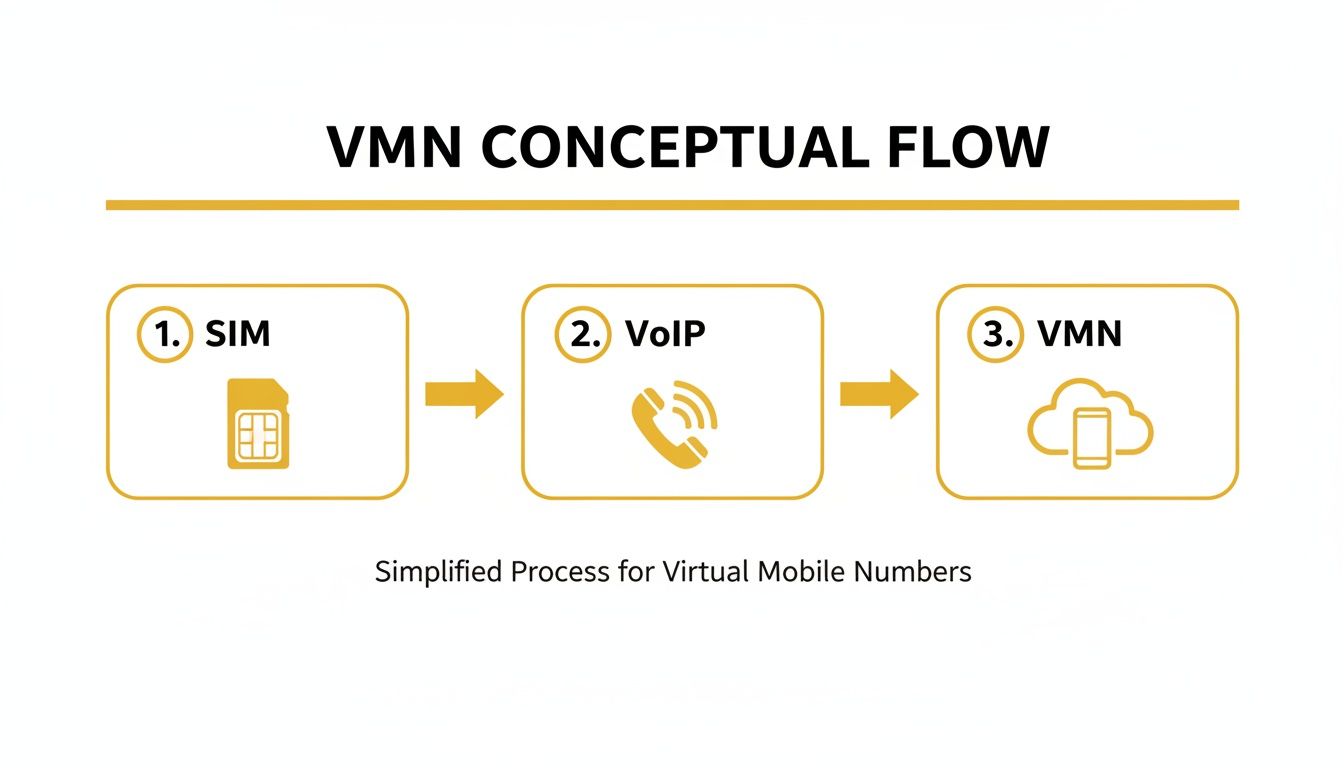
This infographic visualises the journey from SIM logic through VoIP conversions into the VMN platform. Notice how your CRM can trigger SIP paths for seamless call handovers.
Amid the cost-of-living squeeze, MVNO adoption in Australia has climbed from 17% to 19%, reaching 4.3 million SIOs by early 2025. Dive deeper into the latest findings in the Roy Morgan research on MVNO growth.
For further reading on optimising call and data traffic, check out our guide on cloud-based business phone systems.
Step By Step Example
Here’s how a sales enquiry travels through your VMN:
- CRM webhooks fire an API request to your SIP trunk.
- The SIP trunk tags the call with your routing preferences.
- The carrier gateway (Telstra or Optus) passes packets into VMN logic.
- Your cloud platform authenticates the call and chooses either a device or an AI assistant.
- A team member—or OnSilent AI—answers, displaying your local caller ID.
Emergency calls still map VMNs to real street addresses, so dialing 000 connects callers to the correct service. This compliance keeps everyone safe—without any hardware ties.
By managing both inbound and outbound paths, you can configure:
- Time-based routing for after-hours support
- Automatic failover to mobile or desk lines if the primary device is busy
- SMS forwarding into your existing helpdesk
This approach blends a local presence with cloud agility, giving SMEs reliable, scalable communications.
Providers often include real-time dashboards so you can track call quality and data usage at a glance. You can even forward alerts straight into Slack or Microsoft Teams for instant team notifications.
Next, we’ll dive into pricing and features to help you choose the right VMN plan.
Benefits And Use Cases For SMEs
Picture your business answering every call as if you had a local office across town—without installing a single landline. A virtual mobile number Australia works like a digital receptionist, offering the same prefixes (02, 03, and more) to give your team that trusted neighbourhood vibe.
For instance, Australians are ditching landlines at a rapid clip. According to ACMA, 63% now mobile-only, up from 29% in 2015. By 2022, just 23% reported making landline calls at home in the first half of the year.
This shift has created a surge in demand for VMNs via platforms like AdvancedPBX and SIP Trunks. To dive deeper into these adoption trends, check out the full study on Telcoinabox.
On top of that, calls coming from local mobile prefixes are 30% more likely to be answered than those using fixed or international lines. In practice, that means better connection rates, higher billable minutes and more chances to close a sale.
Key Benefits For SMEs
-
Lower Call Costs
By routing through SIP trunks and cloud networks, per-minute rates drop below typical landline plans. -
Trusted Local Caller ID
A familiar AU prefix immediately feels more genuine to prospects, boosting answer rates and reinforcing your brand. -
Dynamic Call Routing
Forward calls to mobiles, desk phones or AI assistants based on availability—even after hours. -
Centralised Management
One dashboard to assign numbers, review call logs and handle SMS without swapping SIMs or devices.
These advantages lay the groundwork for professional communications that grow alongside your business.
Real World Scenarios
-
Real Estate Agents
Using 02 prefixes, agents make listings feel local and inviting. -
Tradies Teams
Forward incoming calls across crew members so every plumbing or electrical inquiry finds an available tech. -
Health Practitioners
Separate patient lines from personal mobiles to maintain privacy and streamline bookings. -
Mortgage Brokers
Set up automatic failover to backup mobiles during busy seasons, cutting out busy signals and lost leads. -
Tourism Operators
Offer callers a language menu and direct them to native-speaking support, making international guests feel at home.
Insight Virtual mobile numbers replace clunky landlines and personal mobiles with a professional, growth-ready contact point.
Combining these scenarios with flexible pricing and CRM integrations means you can direct calls straight into your preferred system. For example, forwarding to an AI assistant like OnSilent ensures 24/7 coverage so you never miss an opportunity.
Compare Answer Rates
| Number Type | Answer Rate |
|---|---|
| Fixed Line | Baseline |
| Mobile Number | 30% Higher |
| Virtual Mobile Number | 30% Higher |
This comparison shows virtual mobile numbers Australia deliver the same jump in pick-up rates as real mobile prefixes.
Adopting VMNs not only boosts sales chances but also plugs seamlessly into CRMs for click-to-call and analytics. SMEs often save up to three hours per week in call handling by using automated routing and AI assistants like OnSilent.
Get started today with a virtual mobile number Australia and watch your communications scale effortlessly.
Setup Options And Pricing Comparison
Selecting a virtual mobile number (VMN) in Australia can feel like picking the right tool for a messy job. You need a plan that fits your call traffic, feature wish-list and budget—nothing more, nothing less.
Most providers let you self-serve online, while others pair you with an account manager. Either way, onboarding can be instant or take a few days if identity checks and KYC are needed.
- Acquire new numbers: choose from 02, 03, 07 and more.
- Port existing lines: typically wrapped up in 3–5 business days so you keep your familiar digits.
- Select number types: mobile, virtual landline or toll-free.
Numbers can go live straight away or be scheduled to launch alongside your next marketing push.
Setup Path Options
You’ve got two main routes: sign up directly on a provider’s website or work with an authorised reseller. Both portals usually let you:
- Pick your preferred prefix.
- Track porting progress at a glance.
- Manage billing through a clear dashboard.
Some dashboards even let you stage numbers for different teams before flipping the switch.
Evaluating Monthly Plans
In Australia, VMN packages start at around $5.99 per month. Budget plans may cap minutes or SMS, so watch those limits.
Don’t forget setup fees—most sit between $0 and $50 per line. Key elements to compare include:
- Setup Fee: one-off provisioning charge.
- Contract Length: month-to-month vs annual.
- Early Exit Fees: penalties if you cancel early.
Decide whether an all-inclusive bundle or a pay-as-you-go model matches your usage patterns.
Reviewing Contract Terms
Read the fine print on minimum terms and automatic renewals.
Ask about volume discounts if you plan to roll out multiple numbers or send high SMS volumes. Also check whether mobile and toll-free lines share the same contract provisions.
Comparison Of Leading VMN Providers In Australia
Let’s line up the main players side by side:
| Provider | Monthly Cost | Key Features | Network | Ideal For |
|---|---|---|---|---|
| Telcoinabox | $6.99 | SMS gateway, call forwarding | Telstra MVNO | Small businesses |
| OnSilent | $7.50 | AI assistant, CRM integration | Optus and Telstra | Real estate, tradies |
| AdvancedPBX | $9.99 | Hunt groups, call recording | TPG | Call centres, brokers |
| CloudCall AU | $5.99 | Voicemail-to-text, IVR | Vodafone MVNO | Health, tourism |
This table highlights pricing, core features, network partners and ideal use cases for each provider.
Comparing Must Have Features
- SMS Gateway: reliable two-way messaging.
- Multi-User Hunt Groups: let your team share one number seamlessly.
- Call Recording: capture calls for training or compliance.
- API Access: integrate your number with CRM or custom workflows.
- 24/7 Support: make sure your lines stay up around the clock.
Porting And Regulatory Notes
Porting an existing mobile or landline usually wraps up in under a week. Emergency-call compliance ties virtual numbers to a physical address, keeping you on the right side of regulations.
Australia’s MVNO market reached USD 1.7 billion in 2024 and is on track to hit USD 2.8 billion by 2033, growing at 5.93% CAGR. Upgrades to 4G LTE and 5G, plus favourable regulations, are driving this expansion. Explore the full MVNO market report on IMARC.
This snapshot from Telcoinabox shows tiered pricing and included features at a glance.
Choosing The Right Partner
- Map out your monthly call and SMS forecasts.
- Compare costs, features and coverage areas.
- Note porting timelines and contract details.
- Take advantage of free trials or demos.
- Lock in a provider and configure your VMN.
Next Steps Checklist
- Confirm number availability: ensure your preferred prefix is in stock.
- Test call quality: use trial minutes in all key service areas.
- Review API documentation: check integration guides for CRM and AI assistants.
- Schedule activation: align it with your campaign launch.
- Train your team: run through routing rules and dashboard features.
Ticking off these steps makes your virtual mobile number launch smooth and stress-free.
Integrating With CRM And AI Assistants
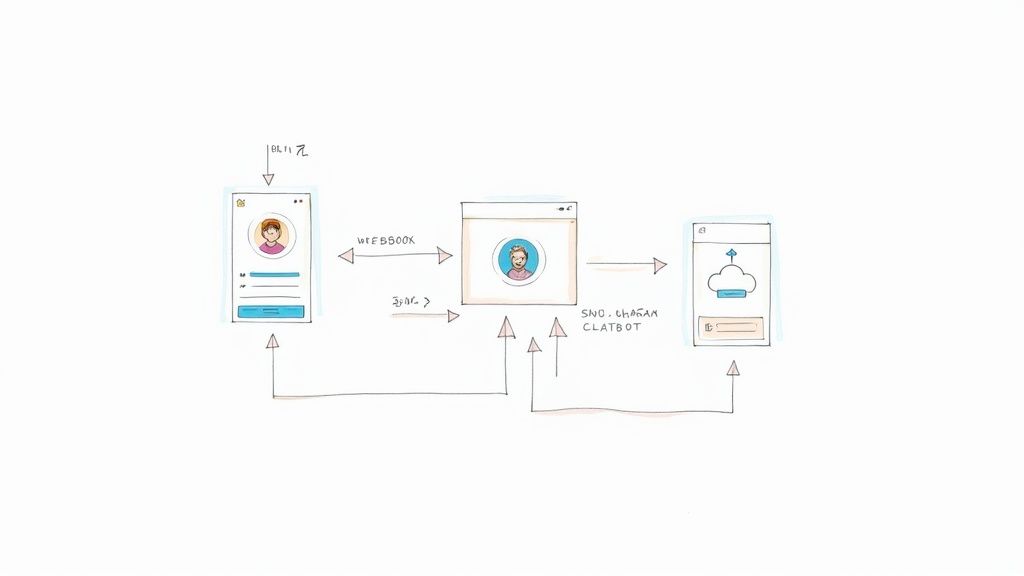
When you hook your virtual mobile number Australia into a CRM, your phone traffic suddenly becomes part of an orchestrated workflow. Picture every SMS you receive popping up as a note in Salesforce, thanks to a simple webhook trigger.
On the other hand, plugging SIP trunks into HubSpot’s telephony tools means calls land straight in the hands of the right person based on deal stage. By closing the day, your dashboard already shows call lengths, outcomes and follow-up tasks—all without you lifting a finger.
- CRM Webhook Setup: Link your VMN provider’s API so calls and texts flow into contact profiles.
- Routing Rules: Send after-hours enquiries to an OnSilent AI assistant, keeping your team free during off-peak times.
- Privacy Compliance: Assign PII fields correctly in your CRM and encrypt all stored data to align with Australian Privacy Principles.
A tight integration doesn’t just log calls—it can fire off follow-up emails or SMS reminders automatically. Your sales team sees live call links inside opportunity records the moment they update.
Configuring Sip Trunks And Routing
Getting SIP trunks up and running is as simple as copying your VMN’s credentials into your CRM’s telephony settings. Many SME platforms support TLS encryption to lock down voice traffic end-to-end.
Then, set your routing tags—think “new enquiry” or “priority client”—to steer calls where they belong. For instance:
- VIP leads go straight to a live agent
- Routine calls get handled by OnSilent for initial qualification
Insight When everything’s synced just right, your VMN acts like a round-the-clock receptionist, fielding up to 100 concurrent calls with AI support.
You can also bring SMS into the fold. HubSpot’s conversation inbox will show messages sent via your virtual mobile number Australia right alongside emails. No more lost texts or dropped threads.
Monitoring And Troubleshooting Best Practices
Keep an eye on call health with either your provider’s dashboard or by feeding metrics into Slack alerts. For example, trigger an alert if call failure rates creep above 1%—that way you can fix things before customers even notice.
- Check SIP Status: Make sure your trunk registers correctly once a day.
- Audit Webhook Logs: Confirm every event posts to the right record.
- Confirm Data Encryption: Review certificates quarterly to stay covered.
Most misroutes trace back to a simple typo in your JSON payload or a misplaced variable. Update your mappings and routing snaps back into place.
Finally, jot down each step—share a runbook with your IT crew. That way, when you scale to ten VMNs instead of one, everyone follows the same playbook. And don’t forget to run test calls across different Australian regions each month to ensure your local caller ID shows up consistently.
Common Questions About Virtual Mobile Number Australia
Many SMEs wonder how to port existing numbers without any downtime when setting up a virtual mobile number Australia. You simply submit a porting request to your new VMN provider and pick an off-peak cutover slot. Your old carrier keeps everything running until the new service kicks in.
Another top question is how VMNs stack up against standard VoIP lines. Virtual mobile numbers carry genuine 02/03 prefixes on Telstra, Optus or TPG networks, which helps preserve local caller trust. By contrast, VoIP often relies on internet-only ranges that can feel unfamiliar to recipients.
Key Regulatory Considerations
- Emergency calls still route to 000 with accurate address mapping
- Providers must comply with ACMA numbering rules
- SMS and call records require secure, compliant storage
Many SMEs also ask about juggling multiple virtual lines. A practical approach is to group numbers by team, establish call-hunt rules and track performance through intuitive dashboards.
Get started with OnSilent – AI Personal Assistant at OnSilent – AI Personal Assistant