

Switching your mobile provider in Australia is pretty straightforward, and the best part is you get to keep your existing phone number. The process is called 'porting', and it just means you pick a new plan, give your details to the new carrier, and they handle the transfer from your old provider. Simple as that.
Why Keeping Your Number is a No-Brainer for Business
If you’re a real estate agent, a tradie, or anyone whose phone number is their business lifeline, changing it is just not on the cards. That number isn’t just a string of digits; it’s your brand. It’s the direct line for your clients and the bedrock of your business. If you lose it, you’re looking at lost leads, confused customers, and a potential hit to the reputation you’ve worked so hard to build.
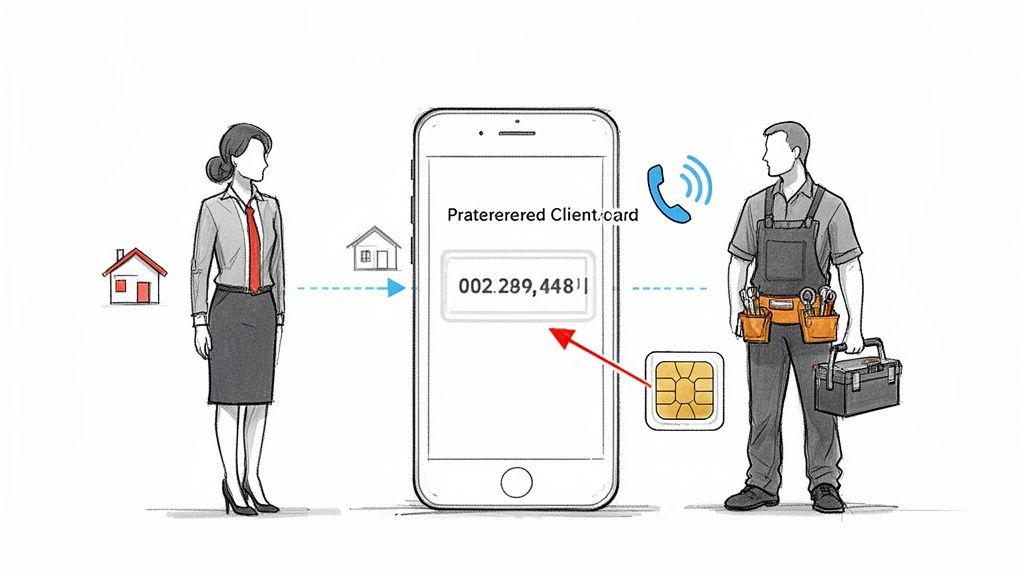
This is exactly why getting your head around how to port a phone number is a huge advantage. It gives you the freedom to hunt for better deals, find superior network coverage, or switch to a plan that actually fits your business needs—all without messing up your client relationships. You can jump from Telstra to Optus or any other carrier and trust that every call will still come straight to you.
Maintain Client Trust and Always Be Reachable
Just imagine a past client trying to call you for another job, only to get a "number disconnected" message. That’s a massive potential loss. By porting your number, you make sure that every client—past, present, and future—can always get hold of you. That kind of seamless accessibility builds trust and cements your reputation as a reliable professional.
This consistency has never been more important. As of early 2025, there are a whopping 34.4 million cellular mobile connections active in Australia, a number that shot up by 674,000 in just one year. It shows just how vital mobile communication is to doing business. You can dive deeper into Australia's digital stats over at DataReportal.
With services like OnSilent's AI assistant, you can even manage your calls during the short porting transition, so you never have to worry about a single lead slipping through the cracks.
Porting your number isn't just a techy admin task; it’s a core business decision. It's about protecting your most valuable asset: your connection to your clients. By keeping your number, you keep control over your business communications, no matter which network you're with.
Your Pre-Porting Checklist
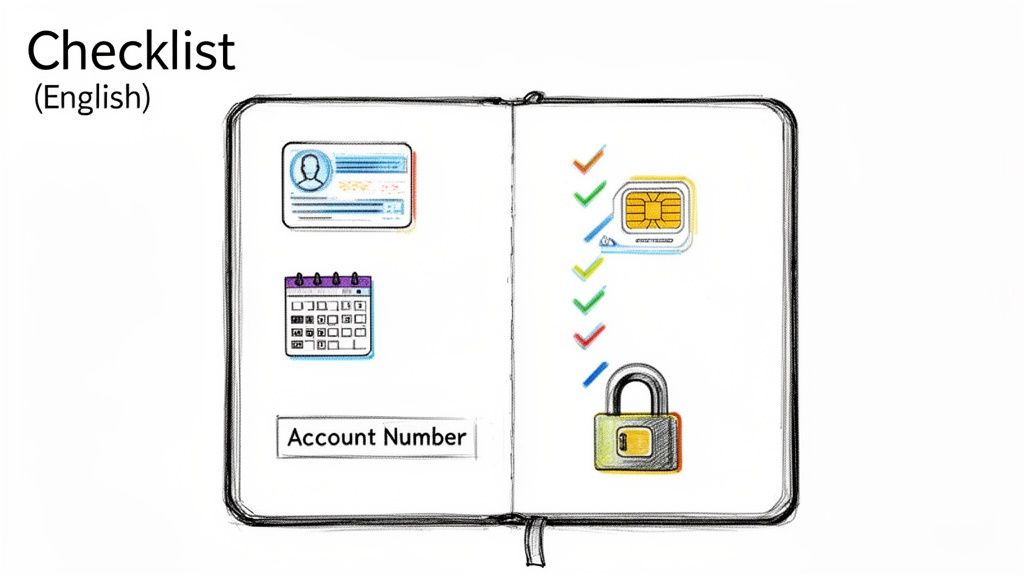
Before you even think about jumping ship to a new provider, a bit of prep work will save you a world of headaches. Getting your ducks in a row is what makes the difference between a smooth switch and a frustrating ordeal.
The goal is simple: give your new carrier everything they need, all at once, so your request sails through without a hitch. A rejected port can leave you in a communication black hole—something no business owner wants to deal with.
Get Your Details in Order
First up, you need to pull together the personal details tied to your current account. And I mean exactly as your current provider has them on file. Even a small mismatch can throw a spanner in the works.
You’ll want to have this info ready to go:
- Full Name: The name exactly as it’s written on your phone bill.
- Date of Birth: A standard security check.
- Service Address: The address linked to your account.
- The Phone Number: The exact mobile number you want to bring across.
Next, track down your account number. This is the golden ticket for kicking off the transfer. You can usually spot it right at the top of your monthly bill or by logging into your online account portal.
For small businesses, nailing these details is the first step toward adopting a modern small business phone system that can actually keep up with your growth.
A Quick Account Health Check
It’s essential that your number is still active with your old provider. If you’ve already cancelled the service or the number has been disconnected, you’re out of luck—you can’t port an inactive number.
It’s also a good idea to check for any outstanding bills or sneaky early termination fees. If you’re still in a contract, porting out might trigger a final bill with these charges. Clearing up any debts now means no financial surprises will hold up the switch later.
Crucial Tip: Whatever you do, do not cancel your old service yourself. The porting process automatically closes your old account. If you cancel it beforehand, the port will fail, and you could lose your number for good.
Finally, keep your old SIM card in your phone for now. You'll likely need it to receive a security SMS from your new provider to prove you’re the one authorising the transfer. Once the port is finalised and your new SIM is live, then you can make the swap.
Here’s a quick summary of the info you’ll need to have on hand.
Essential Information for a Smooth Number Port
| Information Required | Where to Find It | Why It's Needed |
|---|---|---|
| Account Number | On your latest bill or online account dashboard. | The primary identifier for your account with your old provider. |
| Full Name | On your bill, matching the primary account holder's name. | Verifies your identity and legal ownership of the number. |
| Date of Birth | Your personal records. | A common security question to confirm your identity. |
| Active SIM Card | In your current phone. | Needed to receive the porting authorisation SMS. |
Getting these few things sorted before you start will make the entire process a breeze.
Navigating the Porting Process With Major Carriers
Alright, you've got all your details lined up. Now for the main event: actually kicking off the port.
While the process is pretty similar across Australia’s big three—Telstra, Optus, and Vodafone—each has its own little quirks. Knowing what to expect can make the whole experience a lot less painful.
The journey usually starts the moment you sign up for a new plan, whether you do it online, in-store, or over the phone. You'll be asked if you want to bring your number with you. That's your cue. Ticking that box is what officially requests the port.
From there, your new provider takes the wheel. They'll get in touch with your old provider to organise the transfer, which leads to the most important part of the process.
The All-Important Security SMS
To stop anyone from snatching your number, a one-time security code is sent via SMS to your old SIM card. This is exactly why you need to keep that old SIM in your phone for now.
The message will usually ask you to reply with the code or simply with "YES" to confirm you've authorised the switch. It's the final handshake. Once you reply, the transfer is locked in, and things start moving. It’s a simple but seriously effective way to protect your number.
Pro Tip: Keep your phone handy right after you've put in the port request. That security SMS usually shows up within a couple of hours. Missing it is one of the most common reasons for delays, so a quick reply is your best bet for a smooth transfer.
Timelines and Expectations With Each Carrier
Most mobile-to-mobile ports happen pretty quickly, but the timing can vary. You’re generally looking at anywhere from a few minutes to a few hours.
Keep in mind that ports are usually processed during business hours (9 am to 5 pm, Monday to Friday). If you kick things off on a weekend or public holiday, don't expect any action until the next business day.
-
Telstra: Known for its massive network, Telstra's porting system is generally solid. The one thing to watch out for? They are incredibly strict about matching details. Make absolutely sure the name and date of birth you provide are identical to what your old provider has on file.
-
Optus: The porting process with Optus is often lightning-fast, especially if you do it through their online portal. Their SMS instructions are crystal clear, making the security step a breeze.
-
Vodafone: Vodafone also offers a pretty smooth experience. A common snag, though, is an outstanding balance on your old account. It's always a good idea to make sure your account is settled before you try to switch.
During the actual switch-over, you might have a short period of downtime, but it's often less than 30 minutes. Your old SIM will just stop working—that's the signal to pop in your new one. A quick restart of your phone is usually all it takes to get the new service going.
If you're worried about missing calls in that small window, you can set up a temporary diversion. In fact, getting your head around conditional call forwarding is a smart move for managing business calls in all sorts of situations.
The ability to easily port a number has fuelled some serious competition among Australian carriers. This has empowered professionals like strata managers and health pros to chase better deals, which in turn has driven a boom in mobile infrastructure. As of January 2025, Telstra's 11,767 mobile sites still give it a 38% lead over Optus nationally, but this fierce competition is closing the gap and improving services for all of us. You can dive into the data yourself by checking out the ACCC's 2025 report.
Porting Business Landlines and VoIP Numbers
Thinking about moving your number? It’s not just for mobiles anymore. For Australian small businesses, the real game-changer is porting traditional landlines, 1300 numbers, or even your current VoIP service over to a more modern setup. This is how you finally cut the cord from that old desk phone and embrace some serious flexibility.
I'll be honest, the process is a bit more involved than a simple mobile swap. You're looking at a timeline of several business days, sometimes even a few weeks. It involves a bit of formal paperwork, like a Letter of Authority (LOA) to prove you're the rightful owner of the number. But the payoff? It’s huge. You get access to features that old-school phone lines just can't compete with.
Why Make the Switch to VoIP?
Shifting to a virtual or VoIP service is about so much more than just saving a few bucks. It unlocks a whole toolkit of powerful features like automated call routing, virtual receptionists that are on the clock 24/7, and the freedom to have your main business number ring on multiple devices, no matter where you are. Your static phone number suddenly becomes a dynamic business asset.
Think about it from a practical standpoint. A real estate agent could port their main office landline to a service that automatically sends buyer enquiries to one team member and seller leads to another. That kind of efficiency means the right person handles every call, instantly improving your service and boosting conversion rates. Especially with the old PSTN network being switched off, picking the right provider is critical. It's worth checking out a comparison of the best VoIP providers to get a handle on your options.
This infographic gives you a quick look at the basic porting workflow.
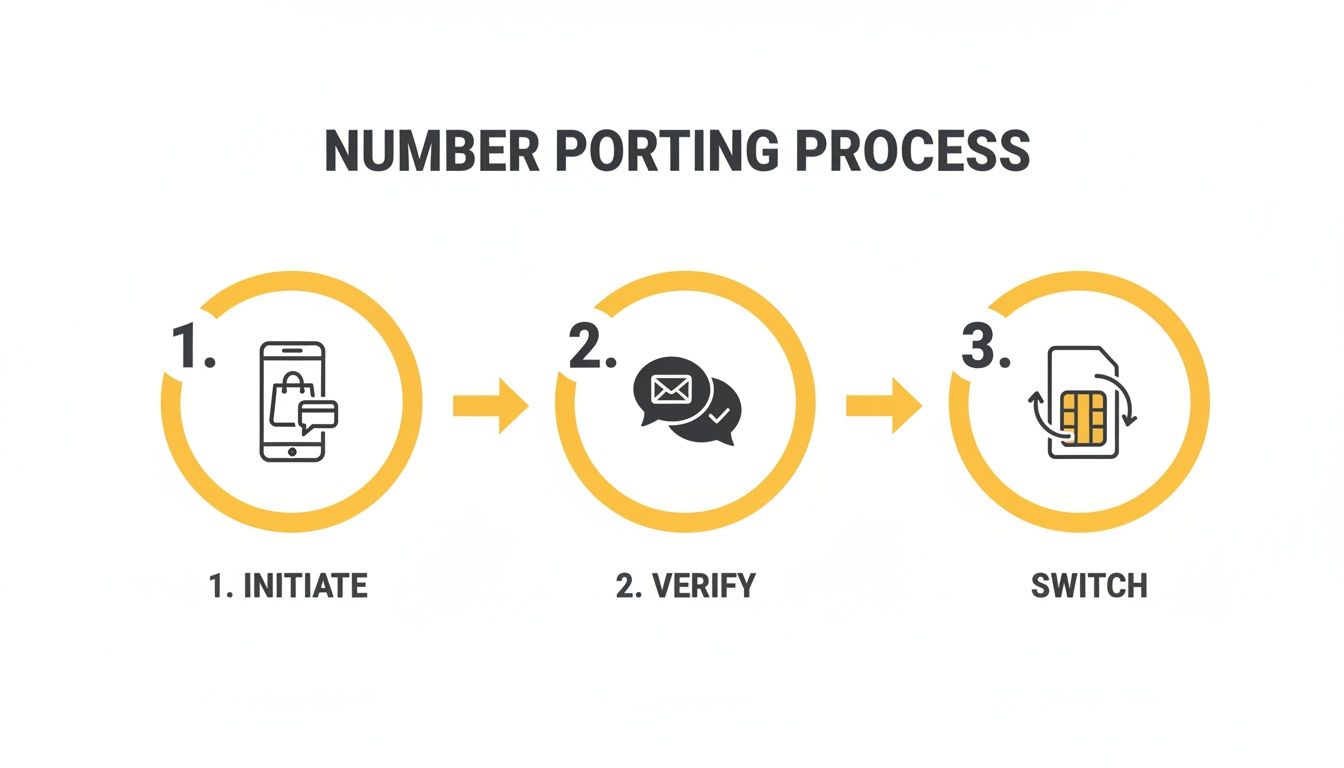
While this visual is geared towards the mobile porting journey, the core principles—initiate, verify, and switch—are the same for business numbers, just with a bit more paperwork thrown in.
Separating Work and Life with a Virtual Number
One of the smartest applications I've seen is porting a business mobile number to a dedicated virtual service. This is how professionals are starting to reclaim their personal time without missing out on business opportunities. Instead of handing out your personal mobile, you have a proper business number that's managed by an AI assistant.
By funnelling all business communication through a dedicated virtual number, you create a clear boundary. An AI assistant can qualify leads, schedule appointments, and answer common questions, ensuring every business call is handled professionally, even when you’re off the clock.
This strategy means no more client calls interrupting dinner with the family. The assistant catches every lead, organises them for you, and has everything ready for you to follow up during business hours. If you want to get into the nitty-gritty of how this works, learn more about the benefits of a modern cloud phone system and see how it can be tweaked for your specific industry.
How to Solve Common Porting Problems
Even when you do everything right, a number port can sometimes hit a snag. Knowing what the common issues are and, more importantly, how to fix them can save you a world of pain and get your business line back online fast.
The biggest culprit for a rejected port is almost always something incredibly simple: a mismatch in your account details. Your new provider has to legally verify who you are with your old one. If the name, account number, or date of birth you've given them doesn't match their records exactly, the request gets an automatic "no".
Before you even think about resubmitting the port request, grab a recent bill from your old provider and go over it with a fine-tooth comb.
- Check the exact spelling of the account holder's name. Is it a personal name or a business name?
- Verify every single digit of the account number is correct.
- For pre-paid numbers, make sure the date of birth you provided is the one on file.
Handling Porting Delays
Most mobile ports are sorted within a few hours, but sometimes things get stuck. If you've been waiting for more than one business day, it’s time to chase it up. Your first (and really, only) port of call should be your new provider. They're the ones driving the process.
They can look into the system and see exactly where the request is held up. Often, it’s a simple fix, like the request just needs to be manually pushed through again, or the initial security SMS wasn't received or replied to in time.
Here’s a crucial tip when you're figuring out how to port a phone number in Australia: your old provider has zero incentive to help you leave. The responsibility for a smooth transfer lies squarely with the new carrier you're moving to. They are your best and only real resource for troubleshooting.
When You Lose Service Completely
It's rare, but it happens. The worst-case scenario is losing service on both your old and new SIM cards, leaving you in a communications black hole. This usually means you've got a "split port"—the number has been disconnected from the old network but hasn't properly connected to the new one yet.
If this happens, get on the phone with your new provider immediately. They need to escalate it to their technical porting team to find your number in the system and finish the activation. You'll need to be patient but persistent here; this is an urgent fix on their end.
The Australian telco market is enormous, with 34.4 million mobile connections expected by early 2025, which really highlights why a smooth porting process is so vital for businesses. This growth, which is part of a telecom market scaling towards $24.95 billion by 2033, keeps the competition fierce and pushes providers to sort these issues out. You can dive deeper into these market dynamics in the ACCC's comprehensive report.
By double-checking your details upfront and knowing exactly who to call when things go wrong, you can navigate most porting problems quickly and keep any disruption to your business to a minimum.
Frequently Asked Questions About Number Porting
Getting your head around the ins and outs of porting a number can feel like a headache, but it’s usually more straightforward than it looks. Let's tackle some of the most common questions that pop up, so you can get it done without any stress.
How Long Does a Number Port Actually Take?
This is the big one everyone worries about – the potential downtime. The good news is, for a standard mobile-to-mobile port, the process is surprisingly fast. You’re usually looking at a timeframe of just a few hours. Most people find their new service is up and running well before the day is out.
It's a different story for more complex jobs, though. If you're moving a business landline or a 1300 number over to a VoIP service, you'll need a bit more patience. These ports are more hands-on and can take anywhere from two to ten business days, sometimes even longer, depending on the telcos involved. Knowing this upfront helps keep the frustration at bay.
Can I Still Use My Phone During the Port?
Absolutely. You won't be left in a communication dead zone while you wait. Your old SIM card and service will keep working just fine right up until the moment the port is complete. You can make calls, send texts, and browse online like nothing is happening.
The switchover itself is designed to be pretty seamless. You’ll know the port has gone through when your old SIM suddenly loses its connection to the network. That’s your cue to pop in the new SIM from your new provider. Give your phone a quick restart, and you'll be connected to your new network with your trusty old number.
Voicemails are tied to your carrier, not your SIM card or your phone number. When you port your number, any saved messages on your old service will be permanently deleted. Make sure you listen to and save anything important before you start the transfer.
Will I Lose My Voicemail Messages?
Yes, and this is a critical detail that catches a lot of people out. Voicemails are stored on your old provider's servers, and they don't come across when you switch. Once your old account is closed during the porting process, those messages are gone for good.
Before you kick things off, take a moment to go through your voicemail. Jot down any important details or contact numbers you need to save. This is also the perfect chance to rethink how you handle missed calls altogether. Instead of sticking with a basic voicemail box, modern alternatives can offer a much smarter solution.
For instance, an AI assistant can do so much more than just take a message. It can handle common client questions, qualify new leads for your business, and even book appointments straight into your calendar. This means even when you can't answer, your business is still capturing opportunities and turning missed calls into genuine progress. It’s a simple upgrade that keeps things moving, even when you’re tied up.
Ready to stop missing calls and start capturing every lead? OnSilent provides a dedicated AI assistant that manages your calls 24/7, qualifies enquiries, and integrates with your workflow. Reclaim your time and ensure your business never misses a beat. Start your 2-week free trial today.