


Setting up a home phone divert to mobile is one of those simple moves that can make a massive difference.Setting up a home phone divert to mobile is one of those simple moves that can make a massive difference, ensuring you never miss an important call just because you've stepped away from your landline. This isn't just about convenience; for many pros, it's a core part of their business strategy for catching every single lead and keeping clients happy.
Why You Can't Afford to Miss a Landline Call
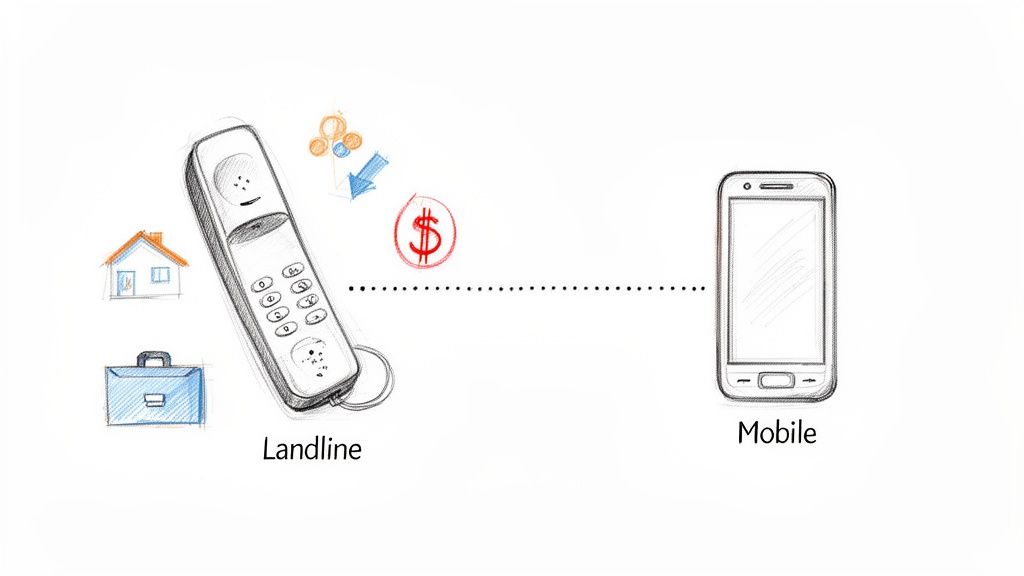
Sure, we live in a mobile world, but for countless professionals—from real estate agents advertising a local number to tradies whose customers have had the same digits saved for years—that landline is a direct pipeline to new business.
Every missed call isn't just a missed chat. It's a potential sale down the drain or a frustrated client who’s about to start Googling your competitors.
Think of diverting your home phone to your mobile as a business continuity tool. It’s about making sure that no matter where you are, your business is always open and ready to respond. That seamless connection builds an incredible amount of trust with clients who know they can always get a hold of you.
The Real Cost of a Missed Call
The financial hit from a single unanswered call can be surprisingly steep. Just picture these scenarios:
- A real estate agent misses a call about a hot new listing, and the seller decides to go with the agent who picked up straight away.
- A local plumber is out on a job and misses an emergency call, losing out on a high-value, urgent repair.
- A mortgage broker is tied up in a meeting, and a potential client with a pre-approval inquiry simply calls the next person on their list.
In every case, the lost opportunity is worth far more than the tiny cost of setting up a call divert. It speaks volumes about customer expectations today; people want instant communication, and a phone that just rings out is a massive red flag. You can get across the basics of what call forwarding means in our detailed guide.
For many small businesses and sole traders, that landline number is a symbol of stability and local presence. Protecting that line of communication is absolutely crucial to keeping and growing your client base.
The Changing Face of Communication in Australia
The move away from traditional landlines is happening fast, which makes call forwarding more critical than ever. The shift in Australia has been huge, with only 15% of adults using landlines for personal use in 2024. That’s a massive drop from 54% back in 2017.
With 34.4 million active mobile connections—that’s 128% of the population—it’s crystal clear that mobiles are where the action is. This data really drives home why professionals have to bridge the gap between their established landline and their mobile.
This is where modern solutions are really changing the game. A simple call forward is handy, but it has its limits. More advanced services are now available that go beyond a basic redirect. They can offer features like AI-powered assistants that answer calls, qualify leads, and even plug into your CRM. It’s no longer just about sending a ring to another phone; it’s about intelligently managing every single inbound opportunity.
Choosing the Right Call Forwarding Method
Before you start punching in codes to get your home phone divert to mobile working, it’s worth taking a moment to figure out your options. Call forwarding isn't just one single feature; it's a few different methods, and the right one for you really depends on your phone service and what you need to do.
Jumping in with the wrong approach is a recipe for frustration, which is the last thing you want when you’re just trying to stay connected.
You’ve essentially got three main paths. The first is the old-school way: using star codes directly from your handset, a method that’s been around for decades. The second involves logging into an online portal your NBN or VoIP provider gives you. And finally, some physical cordless phone systems actually have their own built-in diversion settings you can play with.
Knowing which camp your phone service falls into is the first step to getting this set up without a headache. Let's break down how each one works.
Call Forwarding Methods at a Glance
To make it a bit clearer, I've put together a quick comparison. What works like a charm for an old copper landline might not even be an option for a modern NBN connection, and the other way around. The real trick is matching the method to your tech and your day-to-day needs.
| Forwarding Method | How It Works | Typical Cost | Best For |
|---|---|---|---|
| Carrier Star Codes | Dialling specific codes (like *21) directly from your handset to switch forwarding on or off. | The feature itself is usually free, but you pay standard landline-to-mobile call rates for the forwarded part of the call. | Quick, on-the-fly diversions for traditional PSTN landlines or very basic VoIP setups. |
| Online Portal/App | Logging into your provider's website (think Telstra, Optus, etc.) to manage call routing from a dashboard. | Same as star codes—you're charged for the forwarded calls. | NBN and VoIP users who want more control and a clear view of their call settings. |
| Hardware Settings | Setting up call forwarding within the menu of your physical phone’s base station. | No extra carrier fees, but this feature is pretty rare and depends entirely on your phone hardware. | People with specific, more advanced cordless phone systems that happen to support this function. |
As you can see, while star codes are quick, online portals give you much more flexibility, which is where most modern home phone services are heading.
Which Method Is Right for You?
For most Aussies on a standard NBN plan or even an older phone line, the choice usually comes down to star codes versus the online portal. Star codes are fast and almost universal—perfect for when you’re rushing out the door and just need to redirect calls immediately.
The online portals, however, offer a whole lot more control. You can often set up specific rules, check the forwarding status when you're not at home, and manage different kinds of forwarding. Most NBN phone services are powered by VoIP, and it can be helpful understanding VoIP technology to get the most out of these modern features.
This extra level of control is brilliant for setting up more advanced rules. For instance, maybe you don't want to forward every single call. You might only want to forward calls that go unanswered after 20 seconds. This is a classic example of conditional call forwarding, a seriously powerful tool for managing your availability. You can dig into a detailed breakdown of what is conditional call forwarding to see how it could work for you.
The best method is the one that fits both your service type and your professional needs. A tradie might prefer the speed of a star code for a quick setup, while a real estate agent managing multiple listings could really benefit from the detailed control offered by an online portal.
Ultimately, the most important step is simply identifying your phone service type. If you're on the NBN, your provider's online portal is almost always the best place to start. If you’re one of the few still on an old copper line, the classic star codes will be your go-to. Hardware-based forwarding is the least common, so always check your phone’s manual before assuming it’s an option.
Right, let's get this sorted. Setting up a home phone divert to your mobile in Australia is usually pretty straightforward, but the exact steps really depend on who your provider is and what kind of phone line you've got.
Whether you're still on an old-school landline or have moved over to the NBN, there's a way to get it done. We'll run through the common methods, including the specific dial codes for major players like Telstra and Optus, and show you how to find the settings in the online portals for most NBN and VoIP services.
This quick visual breaks down the main ways you can forward your calls—using star codes, logging into an online portal, or tweaking your hardware.

As you can see, the path you take depends entirely on your phone service, ranging from simple commands punched into your handset to more flexible digital controls.
Using Star Codes with Major Aussie Carriers
For years, the quickest way to get a call diversion running has been by dialling "star codes" (or "feature codes") straight from your home phone's keypad. This method is still alive and well, especially for traditional copper landlines and some of the more basic VoIP setups.
Think of these codes as instant commands that tell the network exactly what to do with your incoming calls. They're perfect for when you're rushing out the door and just need to switch on a divert quickly.
Here’s a list of the most common codes you'll use with providers like Telstra, Optus, and Vodafone's home phone services. They're generally standard across the board, but if a code isn't working for you, it's always worth double-checking with your provider.
Common Call Diversion Codes in Australia
-
Activate Unconditional Divert (All Calls): This is the "send everything" option. Your home phone won't even ring; all calls will go straight to your mobile.
- Dial: *21*[your 10-digit mobile number]# then press the Call button.
- You should hear a confirmation beep or a recorded message.
-
Deactivate Unconditional Divert: Use this to switch off the "all calls" forward and have your landline ring again.
- Dial: #21# then press Call.
-
Activate Divert on No Answer: This one is a bit smarter. It only sends the call to your mobile if you don't answer the home phone after a few rings (usually around 15-20 seconds).
- Dial: *61*[your 10-digit mobile number]# then press Call.
-
Deactivate Divert on No Answer: Turns off the forwarding for any unanswered calls.
- Dial: #61# then press Call.
-
Activate Divert When Busy: This is another handy conditional forward. It diverts calls to your mobile only if your landline is already in use.
- Dial: *67*[your 10-digit mobile number]# then press Call.
-
Deactivate Divert When Busy: Switches off the divert for when your line is busy.
- Dial: #67# then press Call.
Pro Tip: After you've set up a divert, do yourself a favour and call your landline from a different phone (not the mobile you're forwarding to). A quick test like this confirms it's all working as it should and can save you a world of pain later.
Managing Call Forwarding Through an Online Portal
If you're with an NBN or VoIP provider, you almost certainly have an online account portal or even a dedicated app. This is hands-down the easiest and most powerful way to manage your home phone divert to mobile settings.
The best part? Unlike star codes, you don't need to be physically standing next to your home phone. You can tweak your call routing from your laptop or phone, anywhere you have an internet connection. It’s a lifesaver for business owners and anyone who isn't always at home.
How to Find the Settings in Your Portal
While every provider's website looks a bit different, the steps are generally the same:
- First, log into your account on your provider's website (like Telstra My Account or Optus My Account).
- Next, find the section for your home phone service. It might be called "Phone Features," "Call Settings," or something similar.
- From there, look for an option labelled "Call Forwarding" or "Call Diversion."
- This is where you'll find all the controls. You can switch unconditional or conditional forwarding on or off with a simple click, type in your mobile number, and even adjust how many seconds it rings before diverting.
- Just remember to hit "Save" or "Apply" to lock in your changes. The update is usually instant.
Using the portal is great because you get a clear, visual confirmation of what's active. There’s no guesswork involved—you can see exactly where your calls are going and under what conditions. If you're on a modern NBN or VoIP service, this is definitely the way to go.
Troubleshooting Common Call Forwarding Hiccups
Setting up a home phone divert to mobile should be straightforward, but let's be real—technology doesn't always play ball. You’ve punched in the right codes, followed the steps, and yet… something’s not working. Calls aren't getting through, they’re being dumped into your landline's voicemail, or maybe you can’t switch the darn thing off.
Don't tear your hair out just yet. These problems are more common than you'd think, and the fix is usually simpler than you expect. No need to sit on hold with customer support for an hour. Let's walk through the most frequent snags and how to sort them out.
Calls Go Straight to Landline Voicemail
This is easily the most common headache. You set up a conditional forward (like 'divert on no answer'), but instead of your mobile ringing, callers get sent to your old landline voicemail after a few rings.
What's happening here is a timing conflict. Your landline voicemail is programmed to pick up the call faster than the call forwarding feature has a chance to kick in and redirect it.
To get this sorted, you just need to give your landline a bit more time to ring before its voicemail answers. Here’s how to do it:
- Jump into Your Provider's Portal: Most NBN or VoIP providers have an online account where you can manage your settings. Look for a call settings or voicemail section and find the option to adjust the ring time. Bump it up to at least 25-30 seconds.
- Try Carrier Codes: Some providers, like Telstra, let you change the ring duration using star codes dialled from your handset. A quick search on your provider’s support page for "extend ring time" should give you the exact sequence.
- Just Turn it Off: If you never check your landline voicemail anyway, the easiest fix is to disable it entirely. This completely removes the conflict, so any unanswered calls will naturally forward to your mobile and its voicemail service.
The Divert Won't Switch Off
You're home for the evening and want your phone to ring normally again, but dialling the deactivation code (like #21#) does nothing. The divert is stubbornly stuck on, sending every single call straight to your mobile. It’s frustrating, especially if you can't recall which type of divert you enabled in the first place.
First, try cancelling all the different types of forwarding one by one—unconditional, busy, and no-answer all have their own codes.
Sometimes, the network just needs a firm "cancel all" command. Most Aussie carriers have a universal deactivation code like ##002#. Think of it as a master reset key that’s designed to wipe all active call forwarding rules from your line, giving you a fresh start.
If the codes still aren't working from your handset, your provider's online portal is the next best stop. When you log in, you should get a clear dashboard of all your active phone features. From there, it's usually just a matter of finding the call forwarding option and flicking the switch to "off". For a more detailed guide, you can learn more about finding the right call forwarding deactivate code for different scenarios.
Unexpected Charges on Your Bill
Another nasty surprise can be an unexpected spike in your phone bill after you’ve set up call forwarding. It's a common assumption that the feature is free, but that's not always the full story.
While activating the home phone divert to mobile feature itself usually costs nothing, you’ll often be charged for the forwarded part of the call. Your provider treats it as if your landline is making a new call to your mobile, and you get billed at your standard landline-to-mobile rate.
If you're diverting a heap of calls, these charges can add up fast.
- Check Your Plan: Dig out your plan details and look at the call rates for landline-to-mobile. Some plans might have included minutes, but many will charge you by the minute.
- Be Smart with Forwarding: To keep costs down, only use unconditional forwarding (diverting all calls) when you absolutely have to. Sticking with conditional diverts like "on no answer" or "when busy" means you only pay for the calls you genuinely couldn't take on your landline.
Moving Beyond Basic Call Diversion
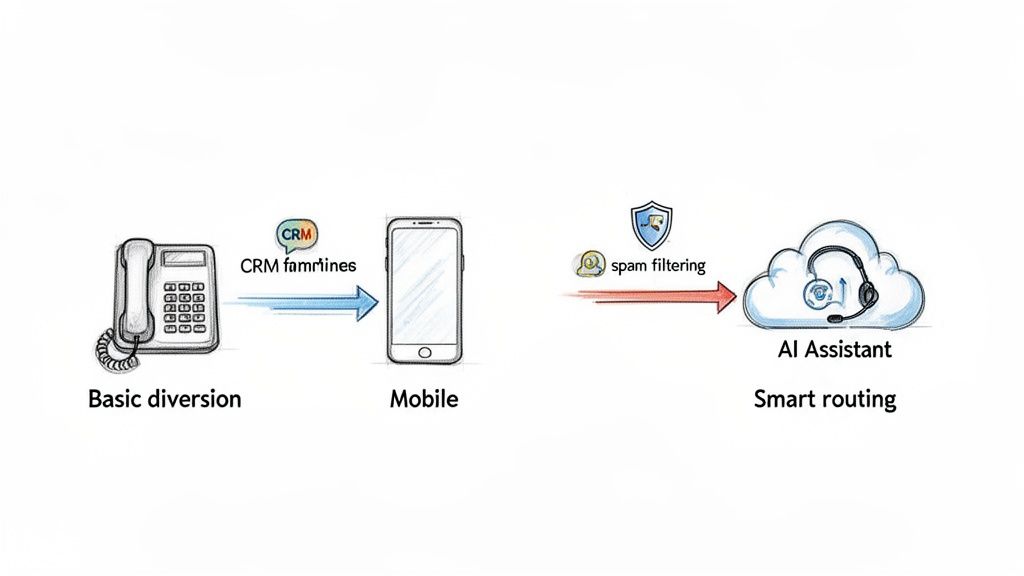
Getting your home phone divert to mobile sorted is a great first step, but let's be honest—it doesn't solve the real problem professionals face. Redirecting a call is one thing. Actually managing it effectively for your business is a completely different ball game.
Simple call forwarding has some serious blind spots. When your mobile rings, you have no clue if it’s a personal call from your partner or a high-value lead coming through from your business line. This guessing game forces you into an awkward, generic greeting, or worse, sends an important client to your casual, personal voicemail.
That's when a basic divert becomes a genuine business liability. A missed opportunity isn't just a lost call; it's lost revenue.
The Problem with a Standard Divert
Let's break down the pain points that a standard call forward just can't fix. These issues are especially frustrating if you're a mortgage broker, property manager, or tradie, where every single call could be your next big deal.
- No Call Context: You're forced to answer every call with the same generic "Hello?" because you can't tell if it’s for business or pleasure.
- Unprofessional Voicemail: A potential client dials your business number and gets your personal voicemail. It can instantly damage your professional image.
- No Lead Capture: If you miss that diverted call, the lead is gone. Poof. There’s no system to grab their details or make sure you follow up promptly.
- You're Still the Bottleneck: Every call still hinges on your personal availability. If you're in a meeting or on-site, that call goes unanswered.
For professionals who rely on their phone, just redirecting calls isn't enough. You need a system that actively works for you, managing inquiries and capturing leads even when you can't pick up the phone.
Introducing a Smarter Approach to Call Management
The next logical move is to go beyond simple forwarding and bring in a more intelligent call management solution. This is where services like OnSilent completely change how you handle calls from your home or office number.
Instead of just shunting a call to your mobile, this approach gives you a dedicated local business number. When someone rings it, the call doesn't just go to your phone—it’s routed to a sophisticated AI personal assistant that’s on deck 24/7.
This means every call gets answered professionally, every single time. No more missed opportunities because you were tied up, and no more potential clients being put off by an unprofessional voicemail.
How an AI Assistant Transforms Your Inbound Calls
An AI-powered system brings a whole suite of features to the table that a basic home phone divert to mobile simply can't compete with. It’s about shifting from a passive redirect to an active lead management tool.
Here’s what that looks like in the real world:
- Lead Qualification: The AI assistant can ask callers targeted questions to qualify them, gathering all the essential info before you even speak to them.
- CRM Integration: New leads and their details are automatically funnelled straight into your Customer Relationship Management (CRM) software. Nothing falls through the cracks.
- Spam Filtering: The system is smart enough to identify and filter out pesky spam or robocalls, so you only spend time on genuine inquiries.
- Professional Answering: Every call is greeted with a professional, branded message, reinforcing your business's credibility from the get-go.
This smarter approach is more critical than ever, especially with the rapid shift in Australian communication habits. Recent ACMA data shows landline use has plummeted, with only 15% of adults using one in 2024, a massive drop from 54% in 2017. With 34.4 million mobile connections now active, bridging the landline-to-mobile gap for business has never been more important.
If you're looking to really optimise your mobile for taking business calls alongside your personal ones, understanding dual SIM technology can be a game-changer.
Ultimately, this kind of system transforms a missed call from a lost sale into a fully qualified, captured lead waiting for you in your CRM. It ensures that even when you’re unavailable, your business is still working hard to capture and nurture every opportunity that comes your way.
Got Questions? We've Got Answers
When you're looking to divert your home phone to a mobile, a few questions always seem to come up. It's a common setup, but there are a few curly ones that can trip people up. To make sure you get it right the first time, we’ve put together the answers to the queries we hear most often.
Is This Going to Cost Me Extra?
In a word, yes. Most phone providers won't hit you with a separate fee just for turning on the call forwarding feature, but that’s not the whole story.
The catch is that you’ll usually be billed for the forwarded part of the call. Think of it this way: your landline is essentially making a new call out to your mobile. That means you’ll be charged your standard landline-to-mobile rate for every single minute of every diverted call. Those costs can stack up fast, so it’s a good idea to check your plan’s rates to avoid a nasty surprise on your next bill.
What's the Difference Between Conditional and Unconditional Forwarding?
Getting your head around these two options is key to making call diversion work for you, not against you. They give you very different levels of control over where your calls end up.
- Unconditional Call Forwarding: This is the 'all-in' option. It sends every single incoming call straight to your mobile, no questions asked. Your home phone won't even ring.
- Conditional Call Forwarding: This is the smarter, more flexible choice. It only kicks in when certain things happen – like if your landline is busy, or if you don't pick up after a few rings (usually about 15-20 seconds).
Most small businesses and professionals we talk to go with conditional forwarding. It lets them grab the call on the landline if they're in the office, but uses the mobile as a reliable backup when they're not.
Unconditional forwarding is like putting a permanent 'we've moved' sign on your door. Conditional forwarding is more like having a helpful assistant who only steps in when you're tied up.
Can I Still Make Calls from My Home Phone While It's Diverted?
Absolutely. Setting up call forwarding only changes how you receive calls. It has zero effect on your ability to make calls from your landline.
The feature is designed purely to manage what happens when someone rings you. So go ahead and dial out from your home phone just like you normally would, even with a divert active.
Will People Know Their Call Is Being Forwarded?
Nope, and that’s the beauty of it. The whole process is designed to be invisible to the person on the other end of the line.
From their perspective, they just dial your landline number as they always have. There might be a tiny, almost unnoticeable pause while the network does its magic and reroutes the call, but then they'll hear it ring through to your mobile as if it were a direct call. There are no weird beeps or messages to give the game away.
Stop letting missed calls turn into missed opportunities. OnSilent provides an AI assistant that answers every call professionally, qualifies leads, and integrates with your CRM, so your business is always responsive, 24/7. Discover how it works at https://onsilent.com.