

Let’s be honest, building business systems isn’t about software or fancy flowcharts. It's about creating a set of intentional, repeatable structures that let your business run like a well-oiled machine—without you having to be there to turn every dial. It’s how you turn daily chaos into a predictable, scalable operation that delivers consistent results.
Why Systems Are Your Strongest Growth Lever
If you’re running a service business, you probably started out chasing a vision of freedom. More time, more flexibility, less stress. But for many, the reality is a constant scramble. You're buried under missed calls, inconsistent client experiences, and an endless pile of admin. The business feels like it only works if you show up every single day, which is the fastest path to burnout, not growth.
This is exactly where building solid business systems becomes your most powerful tool. It’s what allows you to finally shift from being the operator to the owner.
Think of it like the plumbing in a house. You don’t have to rebuild it every time you turn on a tap. It's the essential infrastructure humming away behind the scenes, making everything else flow smoothly. Good systems do the same for your business, creating a rock-solid foundation that supports everything you do.
The True Cost of Inefficiency
Without solid systems in place, your business is bleeding time and money in ways you might not even notice.
Every minute spent hunting for client information, re-explaining a process to a new team member, or manually punching in data is a minute you're not spending on high-value, revenue-generating activities. This operational drag doesn't just hit your bottom line; it kills team morale and guarantees burnout. To really move from daily chaos to a predictable, scalable business, it’s worth starting by understanding the Revenue Operations framework, which helps align all your client-facing functions.
To get a clearer picture of what a well-oiled machine looks like, it helps to break down the process into its core components. These four pillars are the roadmap we'll be following.
The Four Pillars of Effective Business Systems
| Pillar | Objective | Key Outcome |
|---|---|---|
| Mapping & Blueprinting | To clearly visualise and document every step of your current processes, from lead to invoice. | A detailed process map that reveals bottlenecks, inefficiencies, and opportunities for improvement. |
| System Design & Selection | To choose the right combination of tools, templates, and procedures to solve identified problems. | A fit-for-purpose tech stack and a set of standardised operating procedures (SOPs). |
| Implementation & Integration | To roll out the new systems, connect the technology, and train the team effectively. | A fully functional, integrated system where data flows seamlessly and the team is confident in its use. |
| Scaling & Optimisation | To continuously monitor performance, gather feedback, and refine the systems for future growth. | A culture of continuous improvement and a business infrastructure that can handle increased volume without breaking. |
Each of these pillars builds on the last, creating a comprehensive structure that supports sustainable growth.
Building Your Blueprint for Success
Creating systems isn’t about introducing rigid, corporate-style rules that stifle everyone. It’s simply about bringing clarity and consistency to your operations. The benefits are massive for any SME:
- Enhanced Client Experience: Every client gets the same high-quality service, from their first enquiry to the final invoice. This consistency builds trust and is a magnet for referrals.
- Increased Business Valuation: Let's face it, a business that can run without its owner is far more valuable. Documented processes and efficient operations are tangible assets that a buyer will pay for.
- Improved Team Performance: Clear systems cut out the guesswork. They empower your team to work autonomously and confidently, freeing you up to think strategically about the big picture.
- Sustainable Scalability: You can't scale chaos. Systems provide the framework you need to handle more clients and grow your team without everything falling apart.
The goal isn't just to work harder; it's to build smarter. A well-designed system is the infrastructure that allows you to turn strangers into clients and clients into advocates, all while you reclaim your time and energy.
By adopting this mindset, you can start the journey of turning operational headaches into a streamlined, profitable, and far more manageable business. For those feeling overwhelmed by paperwork and admin, a great first step is exploring tools for streamlining administrative processes.
How to Map Your Current Business Processes
Before you can even think about improving or automating anything, you need a brutally honest look at how things actually get done in your business right now. It's easy to think you know the process, but the reality is often a tangled web of ad-hoc tasks, little workarounds, and unwritten rules that only exist inside your team members’ heads.
Building proper business systems starts with a blueprint. That blueprint is a map of your current processes. This isn’t about creating stuffy, corporate-style flowcharts; it’s about making the invisible, visible. Getting it all down on paper (or a digital whiteboard) is the single most important first step—it's where you'll uncover the hidden leaks that are quietly draining your time and money.
The goal is simple: create a clear, visual story of a workflow from start to finish. Think of a real estate agent’s process, from the first "I'm thinking of selling" phone call right through to settlement day. Or a plumber managing a job from the initial panicked call about a burst pipe to sending the final invoice. Every single touchpoint matters.
This visual map is what gets you from a chaotic, reactive state to a more organised, stable operation ready for growth.
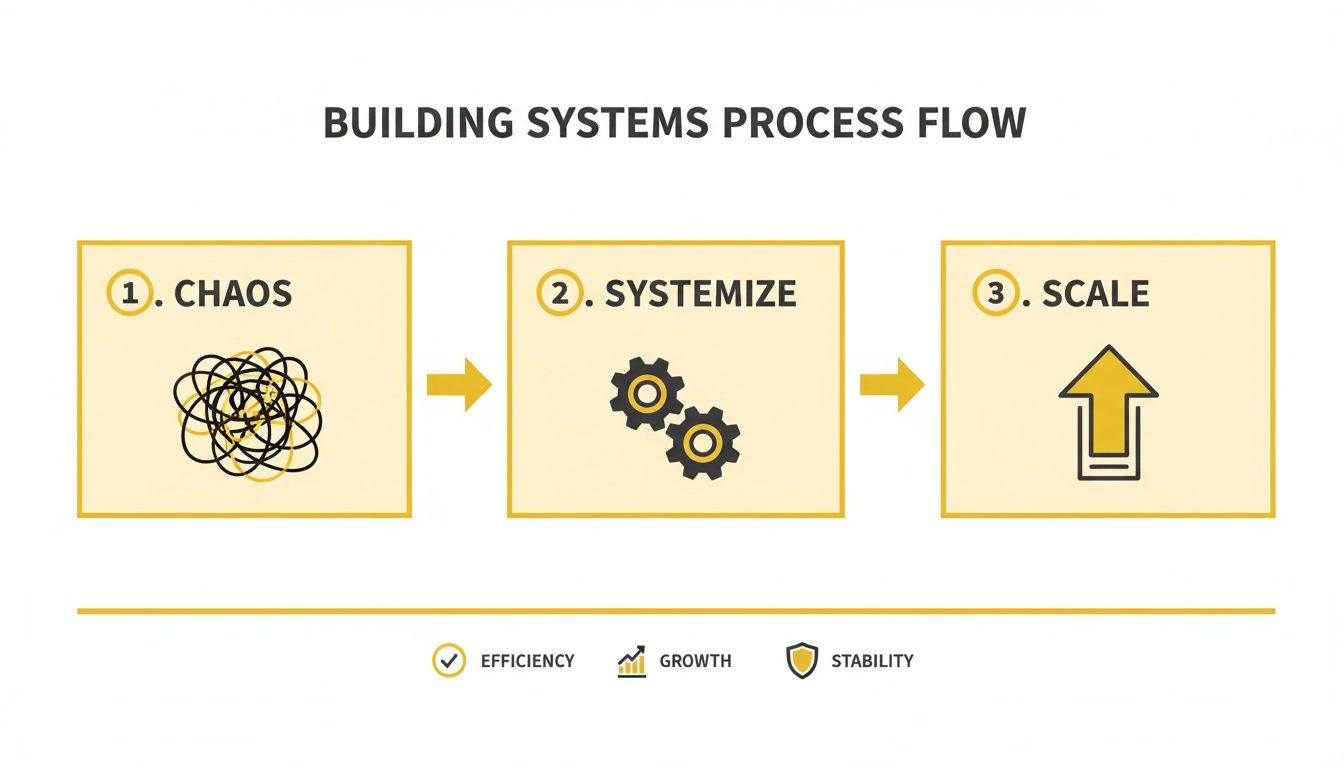
This journey from chaos to systemisation is exactly what process mapping helps you navigate. It gives you the clarity you need before you can even think about scaling up.
Start with Simple Tools
You don't need fancy or expensive software for this. In fact, keeping it simple is usually way more effective. The focus should be on getting ideas out and collaborating, not fighting with a new program.
Here are a few dead-simple options to get you started:
- Whiteboard and Sticky Notes: A classic for a reason. It’s hands-on, great for team sessions, and forces you to keep each step concise. One sticky note, one action. Easy.
- Butcher's Paper: Just roll out a long sheet of paper on a wall or a big table. This gives you a massive canvas to draw out the entire flow, connect the dots, and scribble notes in the margins.
- Digital Whiteboards: If your team is remote, tools like Miro or Mural are fantastic. They have free plans, offer an infinite canvas, and make it a breeze to move things around as you refine the map.
Honestly, the tool is the least important part. Just pick whatever feels most natural for you and your team and get started.
Identify and Trace Core Functions
Don't try to boil the ocean by mapping your entire business at once. You'll just get overwhelmed. Instead, start by picking out your core, revenue-generating processes. For most service businesses, they usually fall into a few key areas.
A system is the infrastructure that answers the question: How does this part of my business run without me having to reinvent it every single time? It’s the behind-the-scenes structure that lets the front end of your business actually happen.
Begin by tracing one critical workflow from its trigger to its completion. A great starting point for many is the client journey. Nailing down your digital customer journey mapping for business growth is a brilliant way to understand and improve how your business actually runs.
A Real-World Mapping Example
Let's walk through a stripped-back example for a property management agency onboarding a new landlord. The process might look something like this:
- Trigger: A new management agreement is signed by the landlord.
- Action: The property manager gets the signed agreement in an email.
- Action: They manually create a new landlord and property profile in the CRM.
- Action: They save the agreement PDF to a specific folder on the shared drive.
- Action: An email is manually written and sent to the landlord with a welcome pack and a request for keys.
- Action: A reminder is created in their calendar to chase up the keys in three days.
- Action: Once keys are in hand, another email is sent to the accounts team to set up the landlord for payments.
- Completion: The accounts team replies to confirm the setup is complete.
Once you have this sequence laid out, you can start poking holes in it. Where are the bottlenecks? What tasks are repetitive and boring? Where could a simple mistake cause a big problem?
In this example, steps 3, 4, 5, 6, and 7 are all manual, repetitive tasks just begging for improvement. Spotting these is the first step toward real change. If you're looking for ideas on what's possible, check out these powerful business process automation examples to get the wheels turning.
Designing Systems for Automation and Efficiency
Okay, you’ve mapped out your current processes and laid bare all the bottlenecks and time-sucking tasks. That was the hard part. Now for the fun bit: designing a smarter, more efficient future for your business.
This isn't about minor tweaks. It’s about completely rethinking how work gets done, using technology to take over all the repetitive, low-value stuff that drains your team's energy. The whole point is to free up your people to focus on what actually matters—delivering incredible service to your clients.
This shift isn't just a good idea; it's happening right now across Australia. New research shows that one Aussie business is adopting AI every three minutes. That’s a blistering pace. It means a massive 1.3 million businesses—or 50% of all enterprises in the country—are already using AI in their daily operations.
And it’s paying off. 95% of these businesses have seen their revenue jump by an average of 34%. This isn't just tech for tech's sake; it's a real profit driver. You can dig into the numbers yourself in the full AWS research on Australian AI adoption.
The Principles of Smart System Design
Before you even think about software, you need a strategy. Good system design is built on logic, not just flashy tools. It follows a few simple principles that make sure you’re actually solving the right problems.
Think of it like plumbing a new house. You wouldn't just start laying pipes wherever you feel like it. You'd map out where the water needs to go, how to make it flow efficiently, and how to stop leaks before they happen. The same logic applies when you're building business systems.
Here’s what to keep in mind:
- Eliminate Before You Automate: Look at your process map and ask the tough question: "Do we even need to do this?" Often, the biggest win comes from just cutting a step out entirely, not making it faster.
- Simplify for Clarity: Can a five-step process become three? The fewer moving parts, the less can go wrong. Simplicity is always the goal.
- Standardise Your Inputs and Outputs: Make sure the information that kicks off a process and the result it produces are always consistent. This is non-negotiable for reliable automation.
The best-designed system makes the right way to do things the easiest way. When your workflow is logical and intuitive, your team will follow it naturally, which means fewer errors and less time spent on supervision.
Choosing the Right Tools for the Job
Once you have an optimised workflow on paper, it's time to pick the tech to bring it to life. For most service-based SMEs, a solid tech stack usually comes down to two key pieces of software that talk to each other.
First, a Customer Relationship Management (CRM) system. This is your central hub for all client info, communication history, and sales activity. Second, a Project Management (PM) tool helps you manage the actual service delivery, track tasks, and keep the team on the same page.
| Tool Type | Primary Function | Example for a Tradie |
|---|---|---|
| CRM (e.g., HubSpot, Zoho) | To manage client relationships, track leads, and centralise communication. | Stores client contact details, job history, quotes sent, and notes from past conversations. |
| PM Tool (e.g., Trello, Asana) | To manage tasks, deadlines, and the step-by-step workflow of a project. | A board for each job with columns for ‘Quoted’, ‘Booked In’, ‘In Progress’, and ‘Invoiced’. |
The real power is unlocked when you integrate these tools. A good integration means data flows between them automatically. No more double-entry, and everyone has access to the same, up-to-date information.
Example Automation: A Client Onboarding Sequence
Let’s make this real. Remember our property manager who was manually onboarding new landlords? Here’s how we can completely redesign that process with automation.
The new, systemised workflow is a world away from the old way:
- Trigger: The landlord signs the management agreement digitally using a tool like DocuSign.
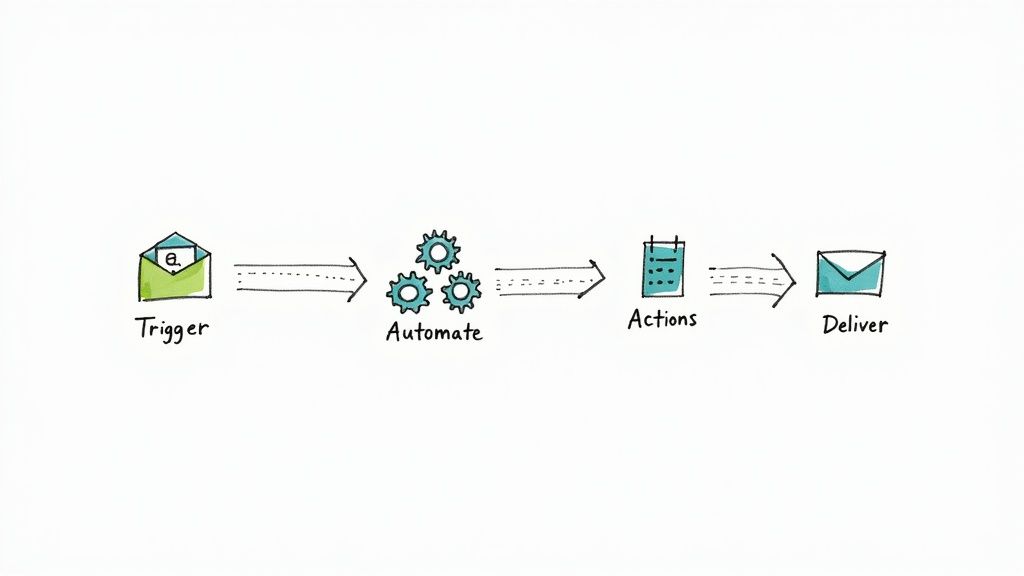
- Automation (via OnSilent or similar): This signature instantly triggers an automation. A new contact and property record are created in the CRM, pulling all the details straight from the signed document.
- Action: The CRM automatically tags the new client as "Onboarding" and assigns a task to the property manager to make a personal welcome call.
- Action: A pre-written welcome email sequence kicks off. The first email goes out immediately with the welcome pack and a link to a form for arranging key collection.
- Data Flow: When the landlord fills out the form, the key collection date is automatically added to the property manager's calendar. A notification is also sent to the admin team.
- Completion: Once the onboarding checklist in the PM tool is complete, the client's tag in the CRM is automatically changed to "Active Management."
What used to be seven manual, error-prone steps is now a slick, automated workflow. The property manager’s only manual task is the high-value welcome call, letting them focus on building a great relationship from day one. That’s the power of designing for efficiency.
Bringing Your Team on the Journey
Let's be honest, even the most perfectly designed system is just a pretty diagram until your team actually uses it. A brilliant workflow that nobody follows is nothing more than a wasted investment. This is where the human side of building business systems kicks in, and frankly, it's often the trickiest part of the whole puzzle.
Getting new processes off the ground isn't about forcing change down people's throats; it's about guiding them through it. For small teams, you don't need some stuffy corporate change management plan. What you need is clear communication, hands-on training, and a laser focus on making their lives easier.
This shift to smarter, automated systems is a massive trend right now, especially here in Australia. The local IT services sector, which is the engine room for this stuff, is set to rocket from AU$57.17 billion to over AU$70.26 billion by 2030. This isn't just numbers on a page; it's businesses everywhere waking up and deciding to ditch inefficiency. In fact, total IT spending is expected to hit a whopping AU$147 billion in 2025 alone. You can get the full picture on Australia’s IT market trends to see how this is reshaping the way we all work.
Nailing Your Communication Plan
The first question on every single team member's mind will be, "Right, what does this actually mean for me?" Your job is to answer that clearly and honestly before they even have to ask. Uncertainty creates resistance, so you need to get out in front of it with a simple, direct game plan.
Before you roll anything out, get the team together for a dedicated meeting to explain the "why."
- Talk About the Pain: Kick things off by acknowledging the daily frustrations. Say something real, like, "I know how much of a drag it is manually entering all the new client details from your notepads."
- Show Them the Solution: Frame the new system as the cure for that headache. For example, "This new CRM integration is going to grab all that info automatically, saving you guys hours every week."
- Focus on 'What's In It For Me': Get specific about how it helps each person. Less boring data entry for the office team, more accurate job details for the guys on the road, faster commission payouts for the sales crew.
The secret to getting buy-in is to make the change feel like a solution to your team's problems, not just another task you're piling on. When they see it as a tool that helps them win, they'll actually want to use it.
Training That Actually Works
Telling your team about a new system is one thing; showing them how to crush it is another. Overly complicated training sessions are a surefire way to kill any excitement. Keep it simple, accessible, and grounded in the real-world tasks they do every day.
Forget about dusty old manuals that will just end up as doorstops. Instead, build a small library of practical, bite-sized resources.
- Quick Video Demos: Grab a tool like Loom and record your screen walking through a key process, like creating a new client file or updating a job's status. Keep each video under 3 minutes. No one has time for a feature-length film.
- Nominate a "System Champ": Pick one or two people on the team who are good with tech and genuinely keen on the change. Give them a bit of extra training and empower them to be the go-to person for questions. This creates a support network on the ground.
- Run a Hands-On Session: Block out an hour to walk the whole team through a real-life scenario using the new system. Let them click the buttons, make mistakes, and ask questions in a relaxed, no-pressure environment.
This approach makes learning feel like a team effort, not a lecture.
Handling Pushback and Celebrating the Wins
Look, no matter how well you plan, some resistance is going to happen. It's just human nature. The key is to listen, figure out what's really bugging them, and tackle it head-on. Most of the time, pushback comes from a fear of the unknown or a worry that the new way will be more complicated.
When you hit a snag, get curious. Ask questions like, "What's your biggest worry with this?" or "Can you show me where you're getting stuck?" This simple act shows you actually value their opinion and are willing to tweak things to make it work.
Finally, make a point to celebrate the early wins, no matter how small. Give a shout-out to a team member who's smashing it with the new workflow. Share a great bit of client feedback that came from the slicker process. This positive reinforcement builds momentum and proves to everyone that the change is already paying off.
Measuring System Performance to Drive Growth
Getting your new system up and running is a massive win, but it’s definitely not the finish line. The most successful businesses I’ve seen treat their systems as a living, breathing part of the company—something that needs constant attention, not a "set and forget" project.
To do that properly, you need data. Without measuring what’s working and what’s not, you’re just flying blind.
This is where you shift from thinking things are better to knowing they are because the numbers back it up. Data lets you spot tiny cracks before they become massive sinkholes, find new ways to be even more efficient, and actually prove the value of the time and money you’ve invested.
This isn’t just about making things neat; it’s critical for scaling up. A process that works fine for a two-person team will start to buckle under the weight of ten. By constantly measuring and tweaking, you ensure your operational backbone grows right along with your business.
Defining Your Key Performance Indicators
You can’t measure everything, so you have to measure what matters. Key Performance Indicators (KPIs) are just the specific, hard numbers that tell you if your systems are actually doing what you designed them to do. For service businesses, this almost always boils down to speed, quality, and how happy your clients are.
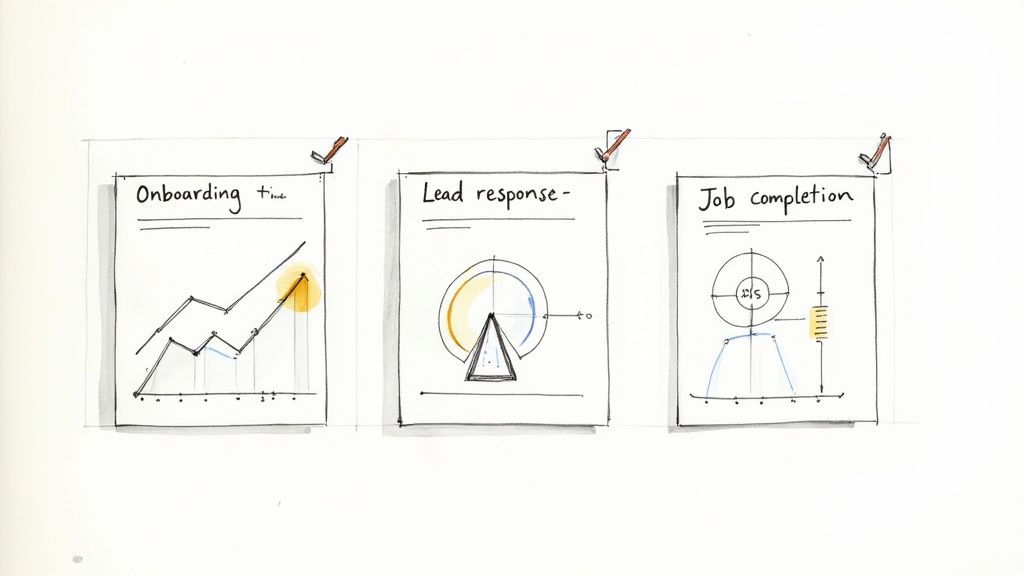
Forget the generic corporate metrics. Your KPIs need to be tied directly to the pain points you uncovered back in the mapping stage. If slow lead follow-up was losing you jobs, then Lead Response Time is a must-track KPI. If getting a new client set up was a clunky, drawn-out affair, then Client Onboarding Time is what you need to watch.
Here are a few KPIs that are pure gold for service-based businesses:
- Average Lead Response Time: How long does it take for someone on your team to reach out to a new enquiry? In my experience, this is one of the biggest levers you can pull to improve conversion rates.
- Job Completion Rate: What percentage of jobs get done on time and without scope creep? This is a direct measure of your team's efficiency.
- First Contact Resolution: How many client questions are sorted out in that very first phone call or email? A high number here is a massive indicator of clear systems and happy customers.
Keeping an eye on these numbers gives you a real-time pulse on the health of your operations. For a deeper look, check out our full guide on the essential communication metrics for business growth.
To get you started, here’s a look at some of the most impactful KPIs you can track as you roll out new systems.
Essential KPIs for Service-Based Business Systems
| Business Area | Example KPI | What It Measures | Improvement Goal |
|---|---|---|---|
| Sales & Enquiries | Average Lead Response Time | The time from receiving a new lead to the first meaningful contact. | Decrease from 4 hours to <30 minutes |
| Client Onboarding | Time to Full Onboarding | The total time it takes for a new client to be fully set up and ready to go. | Reduce from 7 days to 2 business days |
| Service Delivery | Job Completion Rate (On-Time) | The percentage of jobs or projects completed by the original deadline. | Increase from 80% to 95% |
| Customer Support | First Contact Resolution | The percentage of customer queries resolved in a single interaction. | Increase from 65% to 80% |
| Team Efficiency | Admin Time per Job | The average amount of non-billable administrative time spent per job. | Decrease by 25% |
This table isn't exhaustive, but it’s a solid foundation. The key is to pick the metrics that directly reflect the problems you're trying to solve.
Building a Simple Performance Dashboard
Once you know what you’re measuring, you need one simple place to see it all. A performance dashboard pulls your most important KPIs into a single view, so you can spot trends and track progress in a heartbeat. And no, you don't need fancy, expensive software to get this done.
Honestly, a basic spreadsheet in Google Sheets or Excel is often all you need to start. Create a simple table with your KPIs, your baseline measurement (what things looked like before), your current number, and your target. Update it weekly. That’s it.
The whole point of a dashboard is to turn raw data into a story you can understand in under 60 seconds. It should tell you immediately if you’re winning or losing.
This simple visual feedback is also incredibly motivating for your team. When they can see how their daily work is moving the needle on a key company goal, it makes the new systems feel less like a chore and more like a shared mission.
The Importance of Regular System Audits
Finally, remember that your business is always changing, and your systems need to change with it. What was a slick, efficient process today might be a frustrating bottleneck in six months. That’s why scheduling regular system audits is non-negotiable.
Block out time every quarter to sit down with your team and review the core processes and their performance data. This isn’t about pointing fingers; it’s a collaborative health check. You need to be asking questions like:
- Is this workflow still the best way to do this?
- Are there new tools out there that could make this even easier?
- What’s your feedback from being "in the trenches" with this system every day?
This constant cycle of measuring, analysing, and refining is the real secret to building systems that don’t just work—they scale. It’s what keeps your operations a powerful asset driving you forward, instead of an anchor holding you back.
Got Questions About Building Business Systems?
Even with a solid plan, the idea of building business systems from the ground up can feel a bit overwhelming. That's completely normal. Let's tackle some of the most common questions and mental roadblocks I see SME owners run into, so you can push forward with confidence.
A lot of business owners I chat with are worried about the upfront cost and how complex it all seems. But honestly, getting started is usually a lot simpler than you think. It's not about a massive, instant overhaul; it’s about taking small, smart steps.
"How Do I Start Building Systems with No Budget?"
This is a classic, and probably more common than you think. The good news? Having no budget forces you to be resourceful, and the most important first steps are completely free. This isn't about buying fancy software—it's about creating clarity.
You can start with the tools you already use every day.
- Google Docs for SOPs: Seriously, just open a blank document and write out the exact steps for a core task. A perfect example is detailing how you process a new client invoice from start to finish.
- Free Project Management Tools: A free account on Trello or Asana is brilliant for visually mapping out your main delivery process. You can create columns for each stage of a job and use cards to represent individual tasks.
The simple act of writing down who does what, when, and how costs you nothing but a bit of time. Pinpoint the single biggest bottleneck causing you daily stress—maybe it’s handling new enquiries—and just focus on systemising that one thing. The time you save will often free up the cash you need for better tools down the road.
The first goal of building a business system isn't to spend money. It's to create consistency. Documenting your process is the most powerful first step you can take, and it doesn’t cost a cent.
"What’s the Single Most Important System to Build First?"
I get asked this all the time, and my answer is almost always the same. For pretty much any service-based business, the most critical system to nail down first is your lead management and client onboarding process.
Think about it—this is where the money comes from and where you make your first impression. A clunky, slow, or inconsistent onboarding experience can lose you a client before you’ve even had a chance to show them how good you are. It’s the front door to your entire business.
Systemising this ensures every potential client gets a prompt, professional follow-up. It also guarantees every new client gets a consistent, reassuring welcome that sets the right tone for the whole relationship. Getting this right doesn't just improve your cash flow and conversion rates; it builds the foundation for long-term client loyalty and referrals.
"How Do I Get My Team to Actually Use the New Systems?"
This one is huge. Team buy-in is the absolute make-or-break part of any new system. You could design the most perfect workflow on the planet, but if your team doesn’t use it, it’s completely worthless.
The secret? Involve them from the very beginning. Don't just build something in isolation and expect them to fall in line.
Ask your team about their biggest frustrations with the way things are now. Then, frame the new system as the solution to their problems. For example, "Remember that messy spreadsheet you all hate updating on a Friday? This new app gets rid of it completely."
When you're ready to launch it:
- Start with a small pilot group. Let them test it and give you honest feedback.
- Show off the early wins. Point out how it's already making someone's job easier.
- Create simple training. Think short screen-recording videos, not dense, boring manuals nobody will read.
And most importantly, lead by example. If you're constantly using the new system yourself and referring to it every day, your team will see it’s the new standard. They’re much more likely to follow your lead.
Ready to build a system that never misses a call? OnSilent acts as your AI personal assistant, ensuring every lead is captured and nurtured, 24/7. Reclaim your time and scale your business without the chaos. Start your free trial at https://onsilent.com.