

Choosing the right CRM package for your small company is about more than just software; it's about giving your business a central hub for contact management, sales tracking, and automation that genuinely simplifies your day-to-day. For Aussie businesses, a modern CRM isn’t a nice-to-have anymore—it’s the engine that drives growth, builds stronger customer relationships, and keeps you ahead of the competition.
Why a CRM Is Now Essential for Small Companies
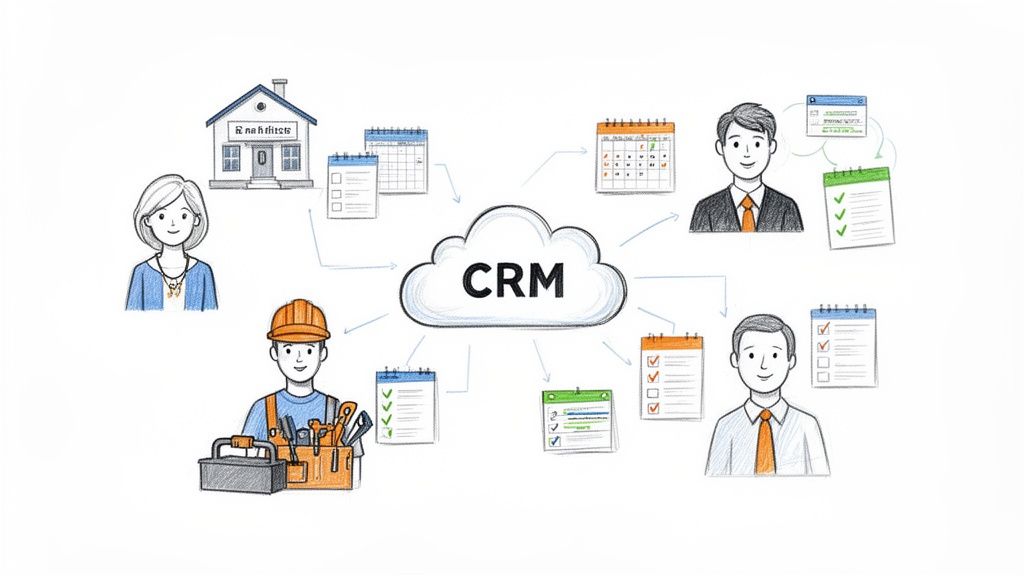
If you're a small business owner in Australia, you know the daily grind. You're juggling leads from your website, social media, and phone calls, trying to remember who to follow up with, and drowning in manual admin. It’s chaotic, and that chaos leads to missed opportunities and unhappy clients.
A modern CRM system cuts through that noise. It becomes the strategic heart of your operation, turning all that disjointed data into a powerful tool for growth. It’s time to ditch the messy spreadsheets and scattered sticky notes for a single, organised source of truth for every customer interaction.
This shift is a game-changer, especially for service-based businesses like real estate agents, tradies, and mortgage brokers where timely, personal communication is everything. Without a central system, crucial details inevitably fall through the cracks, damaging your reputation and your bottom line. It's no surprise that studies show a good CRM can boost sales by up to 29% simply by getting these processes organised.
The True Cost of Inefficiency
The real cost of not using a CRM is often hidden in lost time and missed revenue. Think about the daily headaches it causes:
- Lost Leads: Enquiries from your website, social media, or phone calls just aren't captured consistently.
- Chaotic Follow-Ups: Manually trying to track who to call and when leads to patchy communication and a poor customer experience.
- Wasted Admin Time: Your team spends hours on mind-numbing data entry instead of revenue-generating work like building relationships or closing deals.
Cloud-based CRM packages for small companies are designed to solve these exact problems. They offer affordable, scalable solutions that were once only within reach for massive enterprises. By putting all your data in one place, you get a crystal-clear view of your sales pipeline and can finally make decisions based on facts, not guesswork.
A CRM’s core job is to turn raw customer data into actionable insights. It provides a structured framework that lets you manage relationships at scale, making sure no client ever feels like just another number.
This move towards structured data management is a big deal. In Australia, the CRM market is booming—it was valued at around USD 1.97 billion in 2024 and is expected to hit USD 5.01 billion by 2033. This growth is being driven by small businesses just like yours making the digital shift. You can dig into the numbers in IMARC Group's analysis.
Ultimately, bringing a CRM on board is about building a more resilient, efficient, and customer-focused business. You can learn more about the specific benefits of customer relationship management in our detailed guide.
Picking the Right CRM for Your Business
Choosing a CRM is a big deal for any small company. It's not about ticking off the longest feature list; it’s about finding a partner that slots right into your daily workflow, backs up your team, and grows with you. The best crm packages for small companies feel like a natural extension of how you already work, not just another complicated program to master.
To get it right, you need a clear game plan. Forget the flashy bells and whistles for a moment and focus on the stuff that will actually make a difference to your efficiency and bottom line. Let’s break down the five most critical things to look at.
Cost and True Value
The price tag is just the starting point. A genuinely good-value CRM pays you back way more than its monthly fee. While free plans are a great place to kick things off, you have to think about what happens when you need to scale. A cheap introductory plan can get expensive fast once you start adding more users or need access to vital features like automation.
Look for straightforward pricing with no hidden surprises. The aim is to strike a balance between what’s affordable now and what gives you the power you’ll need down the track. A $60-a-month plan that saves your team ten hours of mind-numbing admin each week pays for itself almost instantly.
Integrations with Your Existing Tools
Your CRM can't be a lone wolf. Its real power is unlocked when it talks to the other software you’re already using every single day. This connection creates a single source of truth for your business and stops your team from wasting time flicking between different apps.
Think about the tools you can’t live without:
- Email Clients: Does it sync up with Gmail or Outlook to log your conversations automatically?
- Accounting Software: Can it connect to Xero or MYOB to link client records with their invoices?
- AI Assistants: Will it integrate with tools that handle call answering and lead capture, like OnSilent, to make sure every single enquiry gets logged on the spot?
An integrated CRM acts as the central nervous system for your business. When all your tools are talking to each other, your team can focus on building relationships instead of doing data entry.
Automation That Actually Works for You
Automation is where a good CRM goes from being useful to being an absolute game-changer for a small team. It’s all about taking those repetitive, low-value tasks off your plate so you can focus on the things that really move the needle. For instance, instead of manually sending a follow-up email to every new website lead, the CRM just does it for you.
Picture a real estate agent's workflow. An automated CRM can send an SMS to a potential buyer right after a viewing, add a follow-up task to the agent's calendar, and shift that contact into the "warm leads" pipeline—all without anyone lifting a finger.
Mobile Access for Teams on the Go
For heaps of small businesses, especially in fields like the trades or real estate, work doesn’t just happen behind a desk. Your team needs full access to customer information from their phones or tablets, whether they’re on a job site, at an open for inspection, or out meeting a client.
A clunky, limited mobile app is an instant deal-breaker. The best mobile CRMs offer a smooth experience that mirrors what you can do on a desktop. A tradie should be able to update job notes, shoot off an invoice, and log a client call right from their phone, keeping the central database up-to-date in real-time.
Reliable and Accessible Support
When something goes wrong or you need a hand setting up a new workflow, you can’t afford to be stuck waiting days for an email reply. Solid customer support is a massive long-term asset. Before you sign up for any CRM, have a good look at their support options.
Do they offer live chat, phone support, or just a slow-moving ticketing system? Check for good help guides, video tutorials, and an active community of other users. Strong support means you can sort out any technical hiccups quickly and get the absolute most out of your investment.
Comparing the Top CRM Platforms for Small Companies
Choosing a CRM is a big deal, but it doesn't need to be a headache. While there's a sea of options out there, the Aussie market for small companies really boils down to a few key players. Each one has its own philosophy on how to manage customer relationships, and understanding that is the first step to finding the perfect match for your business.
We're going to compare three of the heavyweights: HubSpot, Zoho CRM, and Salesforce Essentials. This isn't just about ticking off features; it's about digging into how each platform’s core strengths line up with different business models and growth plans.
This infographic breaks down the essential criteria you should be thinking about—cost, integrations, and automation.
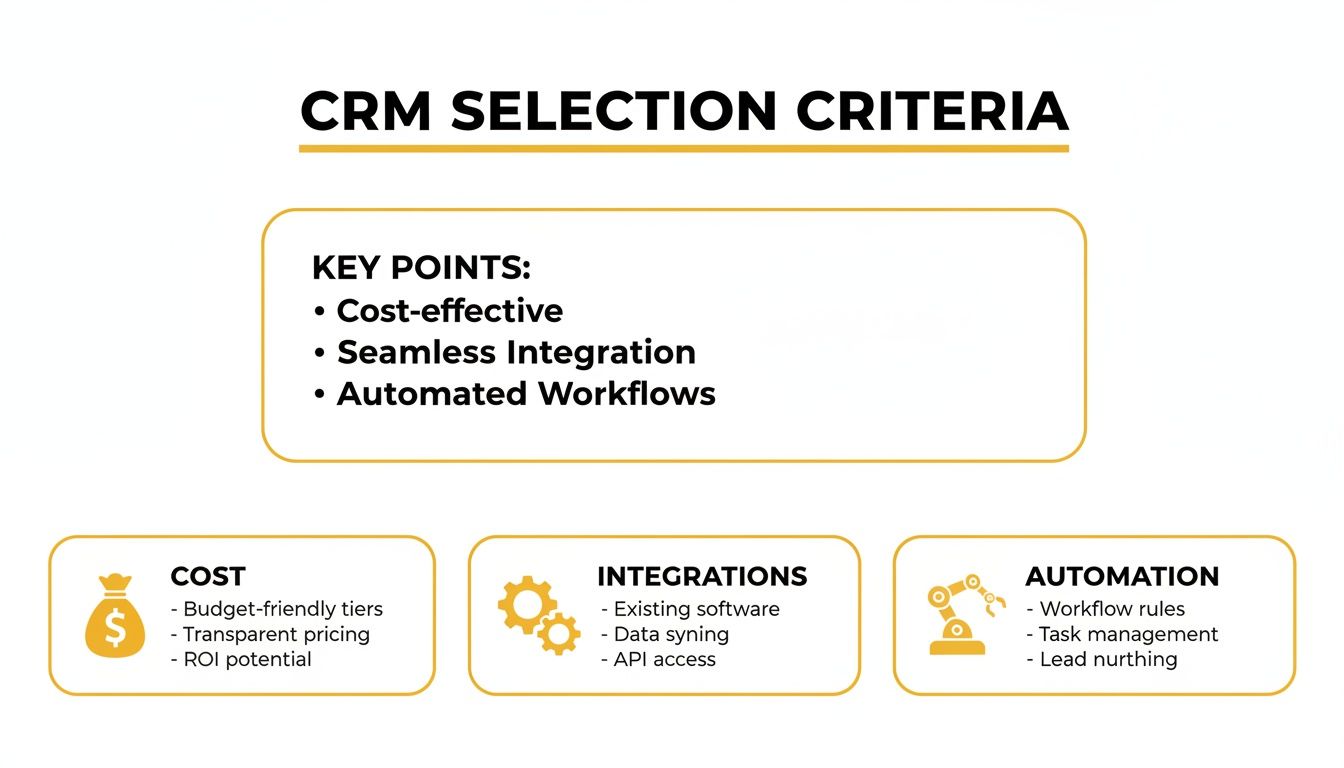
Get these three pillars right, and you’re well on your way. They directly impact your budget, how efficiently your team works, and your ability to scale down the track.
HubSpot for Marketing-Led Growth
HubSpot absolutely owns the inbound marketing space, and its CRM is the engine that makes it all happen. If your business thrives on content—blogs, social media, email newsletters—to attract and nurture leads, then this is your platform.
Its free CRM is famously generous, giving you unlimited contacts and all the core tools many startups need to get going. The real magic, though, is how seamlessly its CRM connects with the Marketing Hub. Imagine you're a small real estate agency: you can track a lead from the moment they download a suburb guide, follow them through a series of automated educational emails, and see when they book a viewing, all in one spot. When weighing up your options, a good Salesforce vs. HubSpot comparison often highlights just how different their approaches are.
The interface is clean and dead simple to use, making it one of the easiest CRMs for a team to actually adopt. The catch? Costs can climb pretty quickly once you jump onto paid plans, especially if you need the fancy features across sales, marketing, and service.
HubSpot is ideal for: Businesses that live and breathe content marketing and lead generation. Its user-friendly design is perfect for teams who need something they can pick up and run with from day one.
Zoho for an All-In-One Ecosystem
Zoho’s biggest flex is its sheer size. It’s not just a CRM; it’s a suite of over 40 business apps covering everything from accounting to project management. This makes it a seriously powerful and budget-friendly choice for small companies that want a single, connected ecosystem to run pretty much everything.
For a tradie, that means you can manage your sales pipeline in Zoho CRM, whip up quotes with Zoho Invoice, and schedule the job with Zoho Projects. This tight integration means you’re not juggling (and paying for) a bunch of different software subscriptions.
The platform is incredibly customisable, so you can tweak workflows, modules, and reports to fit your exact processes. While that flexibility is a massive plus, it can also mean a steeper learning curve than something like HubSpot. The interface is powerful, but it can feel a bit cluttered because it’s trying to do so much.
- Key Advantage: Unbeatable value for money if you’re looking for a sprawling, interconnected suite of business apps.
- Potential Challenge: The huge feature set can be overwhelming if you just need the CRM basics.
Even at its higher tiers, Zoho's pricing stays refreshingly affordable, making it a brilliant option for businesses planning to scale without copping a massive software bill.
Salesforce for Ultimate Scalability
Salesforce is the undisputed giant of the CRM world. Its small business offering, Salesforce Essentials (now part of the Starter Suite), is designed to be a streamlined entry point into its powerhouse platform. Going with Salesforce is usually a long-term play for ambitious companies that see serious growth on the horizon.
Its real strength is in its unmatched scalability and customisation. The platform can be bent and shaped to handle incredibly complex sales processes, which is why you see it so often in regulated industries like mortgage brokering or financial services. A broker could use it to manage intricate client verification workflows and compliance documents, confident that the system can grow with them.
The Salesforce AppExchange also offers thousands of third-party integrations, so it’ll connect with pretty much any tool you're already using. But all that power comes with a price tag to match. It's generally more expensive, and getting the most out of it often requires a dedicated admin or some serious training.
Comparison of Leading CRM Packages for Small Companies
To help you see how these platforms stack up at a glance, we've put together a quick comparison table. This isn't about finding a "winner" but about finding the right fit for where your business is today and where you want it to be tomorrow.
| CRM Platform | Starting Price (AUD/month) | Free Plan Availability | Ideal Business Profile | Key Automation Features | Mobile App Usability |
|---|---|---|---|---|---|
| HubSpot | ~$22/user | Yes, very generous | Marketing-focused teams, startups | Email sequences, lead scoring, chatbot builders | Clean, intuitive, great for on-the-go sales |
| Zoho CRM | ~$22/user | Yes, for up to 3 users | Budget-conscious businesses needing an all-in-one | Workflow rules, macros, custom functions | Feature-rich but can feel dense |
| Salesforce | ~$35/user (Starter Suite) | 14-day trial only | Ambitious, high-growth businesses | Process Builder, Flow automation, complex workflows | Powerful and configurable, but requires setup |
Ultimately, the best choice is all about your priorities. If you need powerful, user-friendly marketing tools right out of the box, HubSpot is hard to beat. If you want an incredible all-in-one value proposition to run your whole operation, Zoho is your answer. And if you're building a business for the long haul with plans for major growth, Salesforce provides a rock-solid foundation.
Best CRM Packages for Your Specific Industry
Trying to shoehorn your business into a generic, one-size-fits-all CRM is often a fast track to frustration. The best CRM packages for small companies are usually the ones built with your specific industry in mind. A feature that’s a game-changer for a real estate agent might be totally useless for a tradie, and vice versa.
The real secret to getting a CRM that sticks is finding a system that speaks your language from day one. This means digging deeper than general features and looking for tools that actually solve the unique headaches you deal with every single day.
This targeted approach is vital, especially in Australia where small businesses are the biggest adopters of this tech. They make up a whopping 53.9% of all CRM buyers but only account for 0.5% of the total global CRM spend. This tells you everything you need to know: it’s a market of savvy, budget-conscious businesses looking for tools that deliver immediate, practical value. You can find more insights on the Australian CRM market share here.
CRMs for Real Estate Agents
For anyone in real estate, the sales cycle is long and built entirely on relationships. A standard CRM can track contacts, sure, but an industry-specific one gets the entire property lifecycle, from that first online enquiry right through to settlement day.
The key is finding a platform with integrations and automation tailored to property sales. You want something that can automatically pull in your listings from portals like Domain or REA, sync viewing schedules with your calendar, and fire off follow-up sequences to everyone who attended an open for inspection.
Essential features for real estate agents include:
- Property Listing Management: A dedicated space to track properties, manage photos, and link listings to all your interested buyers.
- Automated Communication: Pre-built workflows for post-viewing follow-ups, contract reminders, and even happy anniversary messages.
- Vendor Reporting: Tools to quickly generate and send reports to sellers, keeping them in the loop on interest and activity without any manual effort.
A great real estate CRM does more than store contacts; it becomes your digital assistant. It handles the high-volume, repetitive tasks, freeing you up to build relationships and close deals.
For agents looking to really dial in their operations, our guide on the top real estate CRMs offers a deeper look at platforms built specifically for the Aussie property market.
CRMs for Tradies
Tradies are in a completely different world. Your business is project-based, mobile-first, and demands seriously robust job management tools. A simple contact list just won't cut it when you’re juggling multiple job sites, subbies, and material orders.
The best CRM for a tradie is often a hybrid system that blends customer management with powerful project and field service features. It has to work flawlessly on a mobile, allowing you to make updates on the fly from a work site.
A tradie-focused CRM should absolutely nail:
- Quoting and Invoicing: The ability to create, send, and track professional quotes and invoices directly from the app.
- Job Scheduling: A visual calendar to manage your team’s schedules, assign jobs, and see progress in real-time.
- Mobile Functionality: The power to add photos, notes, and get client signatures right there on your phone or tablet.
Think about it: a plumber could use their CRM to get a new lead, whip up a quote on their tablet while at the client's house, schedule the job for their apprentice, and send the final invoice—all from one platform. That seamless workflow is what separates a generic tool from an indispensable business partner.
CRMs for Mortgage Brokers and Financial Services
For mortgage brokers, it’s all about compliance, document management, and long-term client nurturing. The process is complex, involving multiple people and strict regulatory hoops to jump through. A generic sales pipeline just isn't built to handle that kind of detail.
A solid CRM for a broker needs features that support a multi-stage application process. We're talking secure document storage, milestone tracking for loan applications, and automated reminders for those critical deadlines you can't afford to miss.
Look for a platform with these capabilities:
- Workflow Automation: Customisable pipelines that actually mirror the entire loan application journey, from the first chat to post-settlement.
- Secure Document Handling: A safe, secure portal where clients can upload sensitive financial documents without you having to worry.
- Post-Settlement Nurturing: Automated campaigns to check in with clients, remind them of fixed-rate expiry dates, and gently ask for referrals.
By choosing a system built for their industry, a broker turns their CRM from a simple database into a powerhouse for compliance and relationship management. It makes sure no detail gets missed and every client feels looked after during a long and often stressful process.
Putting Your CRM on Autopilot with AI

Choosing the right CRM package is a huge step, but let's be honest—its real power comes alive when you stop doing the tedious work of feeding it information. For most busy small companies, the real bottleneck isn't managing contacts; it's capturing and qualifying new leads before they slip through the cracks. This is where AI-powered tools completely change the game.
Forget manually punching in every new phone number or trying to decipher notes from a call you took on the go. When you hook up an AI assistant, it handles the entire messy front end of lead capture for you. Your CRM stops being a passive database and becomes a dynamic, self-updating system that actually fuels your sales pipeline.
The results are pretty immediate. Automation is making a massive difference for Australian small businesses, with a recent study showing those who adopt it see a 29% average sales uplift. This directly attacks the problem that 50% of SMEs say is their biggest barrier to growth: manual tracking. You can see the full breakdown in this report on CRM automation in Australia.
From Missed Calls to Qualified Leads
Picture a solo real estate agent bouncing between property viewings. A high-value buyer calls, but the agent is with a client and can't pick up. In the old days, that lead is a garbled voicemail at best—or more likely, a lost opportunity as the caller moves on to the next agent on their list.
Now, imagine that same agent has an AI assistant hooked into their CRM. The AI answers the call 24/7, engages the caller politely, and asks the exact qualifying questions the agent has set up.
Here’s how that automated workflow plays out:
- Instant Engagement: The AI assistant picks up, so no potential buyer ever gets sent to voicemail.
- Lead Qualification: It asks key questions like, "Are you pre-approved for a loan?" or "Which property are you interested in viewing?"
- CRM Integration: The AI instantly creates a new contact in the CRM, logs the call notes, and updates the lead status based on the answers.
By the time the agent is done with their viewing, a fully qualified lead with detailed notes is already sitting in their CRM pipeline, ready for a proper follow-up call. This is the core of effective workflow automation, a process we break down in our comprehensive guide to workflow automation.
Integrating an AI assistant with your CRM isn't just about efficiency; it's about creating a lead-capture safety net. It guarantees that even when you're flat-out, your business is still turning enquiries into real opportunities.
The End of Manual Data Entry
For a tradie on a busy job site, stopping to log a new enquiry is just not practical. This is how leads end up jotted down on scrap paper or forgotten completely. An AI-powered integration gets rid of this critical point of failure.
When a new client rings for a quote, the AI can handle the initial chat, grab their name, contact details, and what the job involves. All of this info then gets pushed automatically into the correct fields in the tradie’s CRM.
This seamless process delivers two massive benefits:
- Zero Data Entry Errors: Automatic syncing means no more typos or incomplete info that can kill a follow-up.
- Real-Time Database: The CRM is always up-to-date, giving you a reliable single source of truth for every customer interaction.
This level of automation lets small business owners get back to their real work—serving clients and getting jobs done—knowing their sales pipeline is being managed in the background. It takes the best CRM packages for small companies from simple organisational tools and turns them into powerful engines for growth.
Got Questions About Small Business CRMs? We’ve Got Answers.
Alright, so you’ve been looking at CRM packages for small companies, and you've probably got a few nagging questions bouncing around in your head. It’s normal. Choosing the right system is a big deal, and getting it wrong means you’re stuck paying for another subscription that just creates more work.
Let’s tackle those common "what ifs" and "how do I's" head-on. We're talking about real-world concerns around cost, getting your data moved over, and actually getting your team to use the thing. This is about giving you the confidence to make the right call.
How Much Should a Small Company Really Budget for a CRM?
The cost of a CRM can feel all over the place, but honestly, there are solid options no matter your budget. For Aussie small businesses just starting out, you can get up and running with great free plans from providers like HubSpot or Zoho. These are perfect for getting your contacts organised without spending a cent.
Once you’re ready to step up, paid plans typically land somewhere between $20 to $80 AUD per user, per month. This is where you unlock the good stuff, like automation and proper reporting. The real question isn't the cost, but the return. If a $50-a-month CRM helps you land just one extra client or saves you a few hours of admin hell each week, it's already paid for itself.
Just keep an eye out for transparent pricing. The last thing you want is a system that gets crazy expensive the moment you add a second person to your team.
How Hard Is It to Move My Contacts into a New CRM?
Honestly, most modern CRMs make this pretty painless. You can usually just import your contacts straight from a spreadsheet (like a CSV file) with a few clicks. Good CRM providers know this is a sticking point, so they have heaps of guides, video tutorials, and support staff ready to walk you through it.
But here's the real pro tip: the most important step happens before you even start the import. Clean up your existing data. Seriously. Take an hour to get rid of duplicates, fix typos, and make sure everything is formatted the same way.
Starting with a clean, organised database is the single best thing you can do. It ensures your new system is powerful from day one, giving you insights you can actually trust.
Can a CRM Connect With the Other Tools I Already Use?
Yes, and if it can't, you should run a mile. This is one of the biggest strengths of a good CRM. The best ones have huge app marketplaces that let you plug into hundreds of the other business tools you’re already using. For a smooth workflow, this is non-negotiable.
Some of the most powerful connections include:
- Email Clients: Syncing up with Gmail or Outlook is a must. It automatically logs your conversations so you’re not manually copying and pasting everything.
- Accounting Software: Connecting to Xero or MYOB links your client records straight to their invoices and payment history. It’s a game-changer.
- AI Assistants: For any service business, this is massive. Integrating an AI assistant automates your lead capture completely. It can answer calls, create new contacts, and log all the details in your CRM without anyone on your team lifting a finger.
How Do I Get My Team to Actually Use the New CRM?
Great question. The key is to make the CRM a tool that helps them, not just another box to tick. You have to frame it as something that makes their day-to-day work easier, not another piece of admin they have to deal with.
Get your team involved when you’re choosing a system. If they feel it solves a real problem for them, they’ll be on board. Focus the training on practical wins, like how it automates their follow-ups or gives them a client's entire history right before they jump on a call.
And most importantly, pick a CRM with a top-notch mobile app. If you have a team on the road—like tradies or real estate agents—this is absolutely essential. It lets them update info on the spot, not when they get back to the office. When your team sees the CRM is directly helping them win, you won't have to convince them to use it.
Ready to turn every missed call into a qualified lead in your CRM? OnSilent is an AI assistant that answers your calls 24/7, qualifies enquiries, and automatically syncs all the details into your system. Start your free trial today and see how easy it is to automate your lead capture. Learn more at https://onsilent.com.